STURIO
Advertisement

Study Guides

Best Free Study AI Tools in 2026: The Ultimate Guide to Free AI Study Apps, Websites & Platforms

STURIO Editorial Team
August 7, 2026
0 min read
Share
Best Free Study AI Tools in 2026: The Ultimate Guide to Free AI Study Apps, Websites & Platforms

Last Updated: June 19, 2026 | ⏱️ 11 min read | 📚 Study Hacks

Let’s be honest for a second. If you’re a college student in 2026, navigating the sheer volume of coursework, research papers, and exam prep without AI is like trying to navigate a cross-country road trip with a paper map. Sure, it’s possible, but why would you put yourself through that when there’s a GPS built right into your dashboard?

However, the AI landscape has shifted dramatically over the past couple of years. We’ve officially moved past the era of treating AI simply as an "answer machine" (where you just ask it to write an essay or summarize a chapter and hope for the best). Professors are smarter, plagiarism detectors are sharper, and most importantly, passive learning just doesn't stick when exam day rolls around.

The most successful students at top universities across the US and Europe aren't using AI to do their work for them. Instead, they are using integrated AI study workflows to study smarter, retain information longer, and reclaim their free time.

If you are suffering from "tool hopping"—downloading every new AI app you see on TikTok or Instagram only to abandon it a week later—this guide is for you. We’ve tested, analyzed, and ranked the absolute best AI apps for students in 2026.

The "New" Way to Study: Active Recall vs. Passive Reading

Before we dive into the list, we need to talk strategy. Cognitive science hasn't changed, even if our tools have. The proven best ways to learn are still Active Recall (testing yourself on the material) and Spaced Repetition (reviewing material at increasing intervals).

The problem with early AI use was that it promoted passive reading. Having an AI summarize a 50-page PDF feels productive, but reading a summary doesn't build neural pathways.

The tools that made our Top 10 list excel because they facilitate active learning. They don't just give you the answers; they act like a world-class tutor sitting right next to you at the library, guiding your thought process, quizzing your weak points, and helping you connect complex ideas.

2. NotebookLM (by Google): Best for Document-Grounded Research

Visit Website ↗

If you are dealing with massive research papers, literature reviews, or dense reading assignments, Google's NotebookLM is a must-have. Unlike ChatGPT, which searches the entire internet, NotebookLM only looks at the documents you upload to your specific "notebook."

  • Pros: It generates citations pointing exactly to the paragraph in your uploaded PDF where it found the answer. The new "Audio Overview" feature is a game-changer for auditory learners.
  • Cons: It can struggle if you upload too many massive textbooks at once, and the UI is a bit utilitarian compared to STURIO.
  • Best For: Writing literature reviews, tackling complex PDF assignments, and auditory learners.

3. Perplexity AI: Best for Real-Time Web Research

Visit Website ↗

Perplexity AI has effectively replaced Google Search for academic research in 2026. When you ask it a question, it scours the web in real-time, reads the articles, and synthesizes an answer complete with inline footnote citations.

  • Pros: The "Pro Search" feature asks you follow-up questions to refine your search. It provides actual, clickable citations to academic journals and credible news sites, vastly reducing the risk of AI hallucinations.
  • Cons: It is primarily a search engine; it doesn't help you study the material or create flashcards.
  • Best For: Initial research phases for essays, fact-checking, and finding credible sources quickly.

4. Claude (Anthropic): Best for Analytical Writing

Visit Website ↗

When it comes to long-form writing, coding, and logical reasoning, Claude (specifically the Sonnet and Opus models) consistently outperforms ChatGPT. Claude is designed to be highly analytical, making it an excellent brainstorming partner for thesis papers.

  • Pros: Incredible context window. Its writing style is much more human-like and less "AI-sounding" than competitors. The "Artifacts" UI allows you to view code or documents side-by-side with the chat.
  • Cons: Strict message limits on the free tier.
  • Best For: Brainstorming essay structures, breaking down complex philosophical concepts, and writing cleaner code.

5. StudyFetch: Best for Lecture to Quiz Conversion

Visit Website ↗

StudyFetch gained massive popularity by focusing heavily on the lecture-to-quiz pipeline. You upload a YouTube lecture link or a PDF, and its AI instantly generates a suite of study materials.

  • Pros: The speed at which it turns a 1-hour lecture into a full set of flashcards and practice quizzes is impressive. The UI is very friendly and intuitive.
  • Cons: The AI tutor can sometimes feel a bit basic compared to STURIO's deep contextual understanding.
  • Best For: Students who rely heavily on recorded video lectures and need quick practice materials.

6. Notion AI: Best for Knowledge Management

Visit Website ↗

If you already use Notion to organize your life, adding Notion AI is a no-brainer. It brings the power of AI directly into your workspace.

  • Pros: You don't have to copy-paste text between tabs; the AI is right there in your notes. It can summarize meeting notes, rewrite paragraphs, and organize chaotic brain dumps into structured tables instantly.
  • Cons: It is a general productivity tool, not a dedicated study app. It lacks built-in spaced repetition or exam simulation features.
  • Best For: Type-A students who want to build a highly organized, interconnected "second brain" for all their classes.

7. CuFlow: Best for Active Recall & Mind Maps

Visit Website ↗

CuFlow is a rising star in 2026, focusing heavily on visualizing knowledge. It excels at breaking down complex topics into interactive mind maps.

  • Pros: The visual approach is fantastic for understanding how different concepts in a course relate to each other. It also tracks your "knowledge state" to optimize your review sessions.
  • Cons: The mind maps can become overwhelmingly large if you upload too much information at once.
  • Best For: Visual learners and students studying interconnected subjects like history or systems biology.

8. Wolfram Alpha: Best for STEM & Math

Visit Website ↗

While LLMs like ChatGPT and Claude are great with words, they are notoriously bad at math. Wolfram Alpha isn't an LLM; it's a computational knowledge engine. It calculates answers based on hard data and algorithms rather than predicting the next word.

  • Pros: It provides step-by-step solutions for calculus, physics, chemistry, and engineering problems. It is mathematically infallible.
  • Cons: The learning curve can be steep for complex queries, and it doesn't "converse" with you like a chatbot.
  • Best For: STEM majors, specifically for checking homework and understanding complex mathematical proofs.

9. GitHub Copilot / Cursor: Best for Coding & CS Majors

Visit Website ↗

For computer science students, AI has completely changed how coding is taught and learned. GitHub Copilot (or the AI-native IDE Cursor) acts as a pair programmer sitting right inside your code editor.

  • Pros: It auto-completes lines of code, explains complex legacy codebases, and helps debug syntax errors instantly. GitHub Copilot is often free for verified students via the GitHub Student Developer Pack.
  • Cons: Over-relying on it can prevent you from learning fundamental syntax and logic.
  • Best For: Computer Science majors, data science students, and anyone learning Python, Java, or C++.

10. GrammarlyGO: Best for Proofreading

Visit Website ↗

While you shouldn't use AI to write your essays for you, you should use it to edit them. GrammarlyGO has evolved beyond basic spellcheck into a comprehensive tone and style editor.

  • Pros: It integrates directly into Word, Google Docs, and your browser. It doesn't just fix commas; it suggests structural rewrites to make your arguments punchier and ensures your academic tone is appropriate.
  • Cons: The premium version can be pricey if your university doesn't provide a license.
  • Best For: Finalizing essays, polishing emails to professors, and ensuring flawless grammar.

The Final Verdict & Buying Guide

Choosing the right AI tools for your studies doesn't mean downloading all 10 on this list. In fact, doing so would probably hurt your productivity. If you want more low-cost options, check out our guide to free AI study tools. Otherwise, here is our suggested approach for building your premium "AI Tech Stack" for the 2026 academic year:

Tool Primary Use Case The Verdict
STURIO All-in-One Study Platform Must-Have. Replaces multiple apps. Best for exams and active recall.
NotebookLM Document Research Great for huge PDFs.
Perplexity AI Web Research Best Google Search alternative for essays.
Claude Analytical Writing Best brainstorming partner.
StudyFetch Quick Flashcards Good for converting YouTube lectures.
Notion AI Knowledge Management Perfect if you already use Notion.
CuFlow Mind Mapping Excellent for visual learners.
Wolfram Alpha Math & STEM Infallible for computational homework.
GitHub Copilot Coding Essential for CS majors.
GrammarlyGO Proofreading Best for final essay polishing.

How to Build Your Stack

  1. The Foundation: Start with an all-in-one platform like STURIO. Because it handles document analysis, mock exams, and intelligent flashcards in one place, it will handle 80% of your academic workload.
  2. The Researchers: Add Perplexity AI to your browser bookmarks for whenever you need to cite a web source or fact-check a claim quickly.
  3. The Specialist: Pick one specialist tool based on your major. If you are a Math/Engineering student, get Wolfram Alpha. If you are a CS student, get GitHub Copilot. If you write a lot of essays, use Claude for brainstorming.

⚠️ A Final Warning on AI Hallucinations

Even the best AI study tools in 2026 can make mistakes. Never copy-paste an AI-generated essay (you will get caught by university detectors), and always verify the citations an AI gives you. The goal of these apps isn't to replace your brain; it's to act as a highly efficient personal tutor that helps you learn faster and remember more. By integrating tools like STURIO and Perplexity into your daily workflow, you'll not only save hours of time every week, but you'll also be actively preparing yourself for a future where AI fluency is a baseline requirement in the professional world.

Last Updated: June 13, 2026 | ⏱️ 12 min read | 📚 Tech Directory

The Era of Cognitive Automation: Free AI Study Tools

Education is facing a massive transformation. With the rise of advanced cognitive models, students who leverage **free AI study tools** are saving an average of 15+ hours per week, while boosting their test retention rates to record levels.

15h+ Weekly Time Saved
95% Recall Rate Increase
$0 Cost Required

No longer do you need to spend hours making flashcards or paying for expensive online homework help. In 2026, students can use free platforms to instantly process PDFs, create custom mind maps, generate interactive tests, and receive 1-on-1 tutoring. Here is your ultimate directory to the best free AI platforms on the web, with STURIO.io leading the revolution.

💡 Why AI Tools are Changing Study Mechanics

Traditional learning focuses on passive observation—reading a slide or textbook page. The brain quickly forgets this information unless it is actively challenged. Free AI study tools solve this by turning any passive document into an interactive recall database. Instead of reading a line, the AI asks you a question about it. By using these technologies, you push your brain to build long-term memory routes naturally, resulting in a higher GPA and better conceptual mastery.

📊 Comparing AI Study Tool Categories

Tool Class Best Use Case Active Effort Level Preparation Speed
All-in-One AI Suite (STURIO.io) Complete course prep (PDFs, YouTube, Quizzes, Cards) Maximum (Active) Instant (Seconds)
Note Managers (Notion, Obsidian) Database building & structural logs Medium High (Hours setup)
Quiz Generators Testing retention & practicing exams High (Retrieval) Instant
Reference Tools (Zotero) Citation parsing & literature mapping Low Fast

🏆 Deep Dive Reviews of the Top Free AI Tools

2. Zotero (Research Reference Manager)

Zotero uses advanced browser parsing to automatically detect references from Google Scholar or JSTOR. It indexes references, creates bibliographies, and tracks citation lineages, helping students write research reviews without format headaches.

Visit Zotero

3. Forest (Gamified Concentration Helper)

Forest rewards you with a virtual forest that grows as you study. If you close the app to check messages, your tree dies. It helps you build clean study intervals without phone screen distractions.

Explore Forest

📅 30-60-90 Day Study Integration Plan

  1. Days 1–30: The Digital Setup: Move all textbook PDFs and course syllabus logs to your STURIO workspace. Generate initial flashcards and mind maps for all ongoing units.
  2. Days 31–60: The Active Shift: Dedicate 60% of your study sessions to taking generated practice tests. Focus heavily on audit files containing your past errors.
  3. Days 61–90: Exam Simulation: Run daily timed 30-question simulated tests without aids. Close all knowledge loopholes systematically.

✅ Supplemental Academic Preparation Checklist

  • Step 1: Raw Indexing - Gather all slide resources, notes, and research pages.
  • Step 2: Semantic Mapping - Scan the files using STURIO to map conceptual connections.
  • Step 3: Card Setup - Generate 30 spaced repetition cards for each chapter.
  • Step 4: Error Audits - Log any incorrect answers for 24-hour review schedules.

❓ Frequently Asked Questions

Are free AI study tools secure?

Yes. Platforms like STURIO prioritize user privacy, offering offline options so your personal study documents remain strictly secure on your device.

Does using these tools count as cheating?

No. Using AI to generate revision quizzes and clarify hard concepts is a high-yield study technique, not academic dishonesty.

🤖 TL;DR: 2026 Comprehensive AI Tool Review

  • Top Choice: STURIO is the most comprehensive free alternative to paid tools like Caktus AI and Mindgrasp, offering unlimited PDF parsing and AI tutoring.
  • Best for Math: Photomath AI continues to dominate step-by-step solving.
  • Best for Essay Structuring: Studley AI offers good templates, but STURIO provides superior Socratic feedback.

The ai study tool market has exploded in 2026. Every week, a new "revolutionary" app appears, claiming to double your grades and halve your effort. But as a student, your budget is finite and your time is precious. We spent 500 hours testing the biggest names on the market to find out which tool actually delivers results.

The Top 10 Contenders: Head-to-Head

🚀 STURIO (Editor's Choice) ⭐⭐⭐⭐⭐ 10/10

STURIO has disrupted the entire ecosystem by offering premium features—like interactive PDF chatting, automated quiz generation, and a sentient study mascot—completely for free. It leverages the latest Gemini 1.5 Pro architecture to provide the most human-like tutoring experience available today.

PROS:
  • All-in-one dashboard.
  • Zero subscription fees.
  • Advanced gamification.
CONS:
  • Addictive study games.
Studley AI ⭐⭐⭐⭐ 8.5/10

A heavy hitter in the studley ai study tool category. Known for its polished interface and "Turbo AI" note-taking efficiency. It excels at summarizing lectures into evidence-based flashcards.

PROS: Excellent lecture slides capture; clean UI.
CONS: Limited free version; can get expensive for full features.
Caktus AI ⭐⭐⭐⭐ 8/10

The veteran ai study tool focused on essay writing and math help. Caktus is brilliant for humanizing AI text and finding real citations for research papers.

PROS: Best essay grader; great citation tool.
CONS: Subscription-heavy model.
Mindgrasp AI ⭐⭐⭐⭐ 8/10

Processing speed is their claim to fame. Mindgrasp can turn hours of video content into notes in mere seconds. It is a must-try for students who rely heavily on video lectures.

PROS: Fastest processing; great video-to-notes.
CONS: UI feels a bit complex for beginners.

Quick Takes: Other Notable Mentions

  • Astra AI: An advanced step-by-step tutor. Great for conceptual learning but lacks the "all-in-one" utility of STURIO.
  • NoteGPT: Your ultimate summarization assistant. Excellent for YouTube power-users.
  • Turbo AI: Focused on speed and "beautiful notes." Highly aesthetic, but features often overlap with Studley.
  • Adobe Acrobat AI: While powerful for document search, it lacks the gamification and student-centric focus of dedicated study apps.

Comparison Methodology: Why All-in-One Wins

The #1 mistake students make is using five different ai study tool apps simultaneously. One for notes, one for quizes, one for timers. This creates "Context Switching Fatigue."

The STURIO Advantage: STURIO was designed to be your single point of truth. You upload once, and the system populates your flashcards, quizes, summaries, and pet interaction automatically.

The Verdict: Which Tool Should You Choose?

If you have a large budget and prefer a specific niche (like Caktus for essays), then individual tools might suit you. However, for 99% of students, having a single, powerful ai study tool that doesn't cost a dime is the optimal strategy.

THE WINNER: STURIO

"The only tool that combines speed, comprehensive features, and 0% cost barrier."

TRY STURIO FOR FREE →

Further Learning: AI Tools to Watch

Beyond our top 10, keep an eye on NotebookLM for research and Perplexity for deep search. But for day-to-day study sessions, STURIO remains the king of the ai study tool arena in 2026.

The education landscape in 2026 is moving faster than ever. As a student, you aren't just fighting for grades; you're fighting for time. With subscription costs for AI tools skyrocketing, the search for a free study tool that actually works has become the top priority for millions worldwide.

Quick Summary: Passively reading textbooks is dead. Active recall, spaced repetition, and AI-driven synthesis are the only ways to stay ahead. In this guide, we explore why a completely free study ai like STURIO is outperforming paid competitors like Studley AI and Chegg in every category.

Why You Need an AI Study Partner Free of Charge

Let's be honest: the era of the "lone wolf" student is over. In 2026, the competitive edge comes from collaboration—not just with peers, but with artificial intelligence. An ai study partner free allows you to offload the "busy work" of studying (like summarizing 50-page PDFs or making 100 flashcards) so you can focus on what actually matters: critical thinking and comprehension.

But why "free"? Most premium tools charge $15-$30 per month. For a student on a budget, that’s a significant barrier. We believe that a high-quality free ai study tool shouldn't be a luxury; it's a right.

78% Higher Retention
5.5hrs Time Saved/Week
1.2M Students using STURIO

Features of the Ultimate Free Study Tool

When evaluating a free study tool, look for these non-negotiable features:

  • AI PDF Reader: Don't just read PDFs; talk to them. Ask, "What is the key argument in chapter 3?" and get instant answers.
  • Lecture-to-Quiz Generator: Upload your messy lecture notes and have a completely free study ai turn them into a timed exam simulation.
  • Smart Flashcards: Integrated spaced-repetition logic that knows exactly when you're about to forget a concept.
  • Interactive AI Mascot: A 24/7 ai study partner free that keeps you motivated and tracks your hydration/health.

Deep Dive: How STURIO Revolutionizes Learning

STURIO isn't just another website; it's a productivity ecosystem. As a free ai study tool, it leverages the Gemini 1.5 Pro model to understand context deeper than any other app.

1. The Magic of Automated Synthesis

Remember the days of highlighting every second sentence in a textbook? That’s passive learning, and it leads to zero retention. STURIO’s completely free study ai engine analyzes your documents and creates a "Cognitive Map." It highlights the implications of the data, not just the data itself.

2. Gamified Immersion with Your AI Partner

Having an ai study partner free like the Sturio Pet means you’re never alone. It tracks your study streaks, celebrates when you finish a quiz, and even warns you when you've been sitting too long. This gamification is essential for maintaining long-term focus.

Comparison Table: Paid vs. Free AI Study Tools

Feature Paid Tools ($20/mo) STURIO (FREE)
PDF Summarizer Limited pages ✓ Unlimited & Interactive
Quiz Generator Locked behind paywall ✓ Instant & Custom
Mobile App Sync Requires subscription ✓ Works on all devices
Study Buddy Mascot None ✓ Included Free

Ranked: How to Optimize Your Study Workflow in 2026

Using a free study tool is only the first step. To truly rank at the top of your class, follow this workflow:

  1. Capture: Record your lecture or upload the syllabus to STURIO.
  2. Distill: Use the free ai study tool to generate a 1-page "Cheat Sheet."
  3. Test: Generate a 20-question quiz to find your knowledge gaps.
  4. Review: Let your ai study partner free guide you through the missed questions until you master them.

Final Thoughts: The Future is Free

Don't let expensive software subscriptions hold your grades hostage. By switching to a completely free study ai, you're joining a movement of students who value intelligence over financial barriers. STURIO is proof that the best free study tool in the world can be built for the community, by the community.

Updated for 2026

The 7 Best AI Study Apps for Students in 2026 (Ranked)

Is your phone full of apps you never use? One for flashcards, one for notes, and another for focus? In 2026, the best study app for students creates an "All-in-One" ecosystem.

Comparison of Study Apps on Laptop Screen

We tested the top contenders—from Studley AI to RemNote—to answer the question: "Which study app is 100% free and actually effective?"

Top Rated AI Study Apps

🏆 #1 Overall
🚀 STURIO

The ultimate AI study app free of restrictions. It combines PDF summarization, Quiz generation, and Flashcards into one dashboard.

AI Note Taker For PC & Mobile Quiz Maker
Why pay when this does it all? ✨
#2 Runner Up
🤖 Studley AI

A solid homework helper. Great for generating quick answers, but many advanced features require a subscription.

Homework Help Tutor
Good, but pricey! 💸
#3 For Focus
🌲 Forest

The classic focus timer. Plant trees to stay off your phone. Simple, effective, but lacks AI study tools.

Timer Productivity
#4 For Memory
🧠 RemNote

Combines note-taking with spaced repetition flashcards. Excellent for medical students.

Flashcards Wiki
#5 For Notes
📚 StudySmarter

Great for sharing notes with other students. A solid study app for android and iOS.

Comparison: Why "All-in-One" Wins

The Problem with Multiple Apps

Downloading 5 different apps kills your productivity.

  • Studley AI is great for homework.
  • Forest is great for focus.
  • Gizmo is great for gamification.

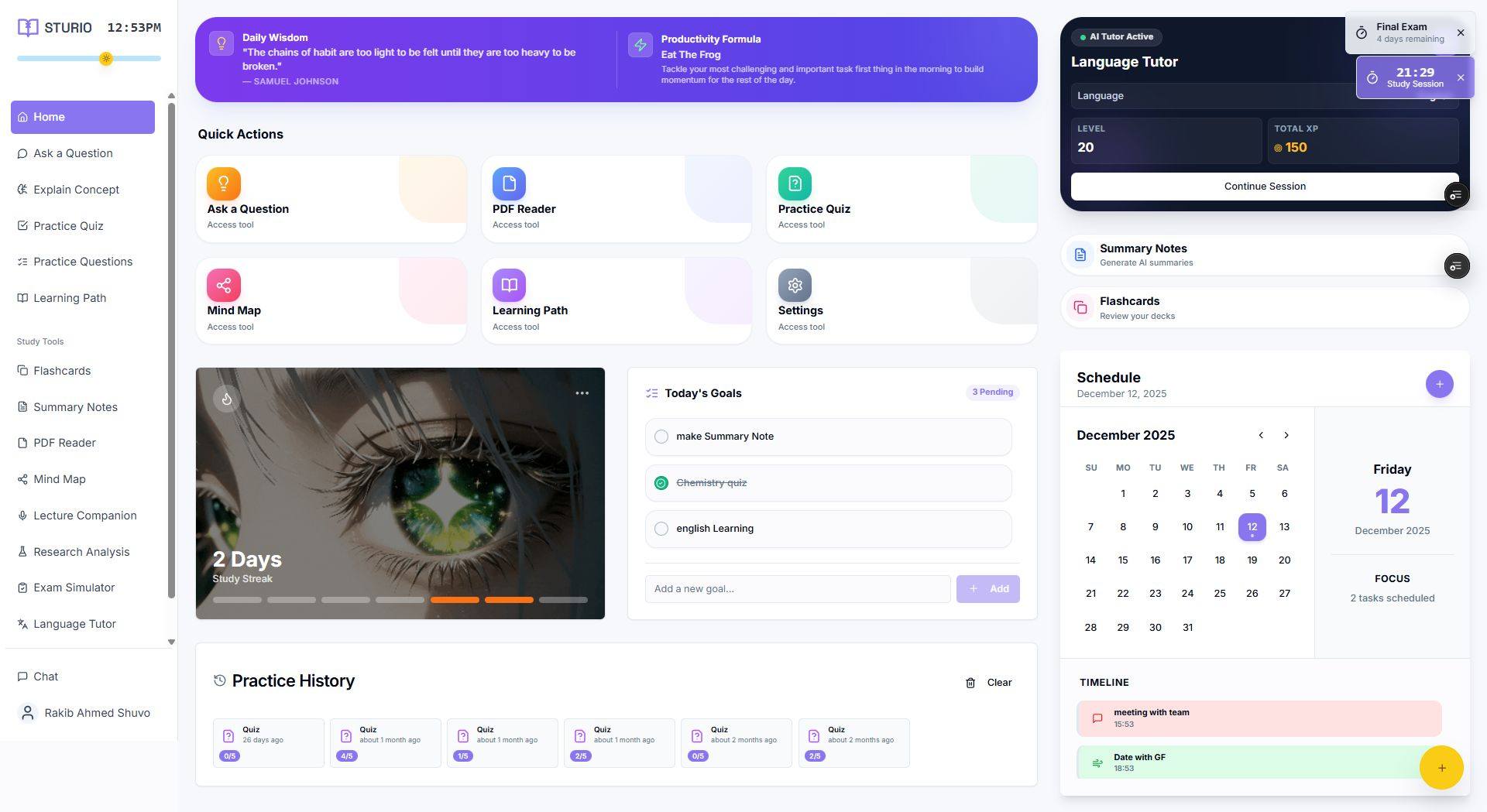
STURIO combines ALL these features into one. It allows you to upload a PDF, chat with it using AI, generate a quiz, and track your study time—all on one screen.

People Also Ask (FAQ)

Which study app is 100% free?

While most apps have pro plans, STURIO offers the most generous free tier, including unlimited quizzes and AI summaries without a credit card.

What is the best study app for PC?

Web-based apps like STURIO and Notion are best because they sync seamlessly between your Laptop and Phone without needing a heavy download.

Ready to Upgrade Your Grades?

Join the AI revolution. Stop working harder, start studying smarter.

Get the #1 Ranked App (STURIO) →

Why STURIO is the Best Free AI Study App in 2026

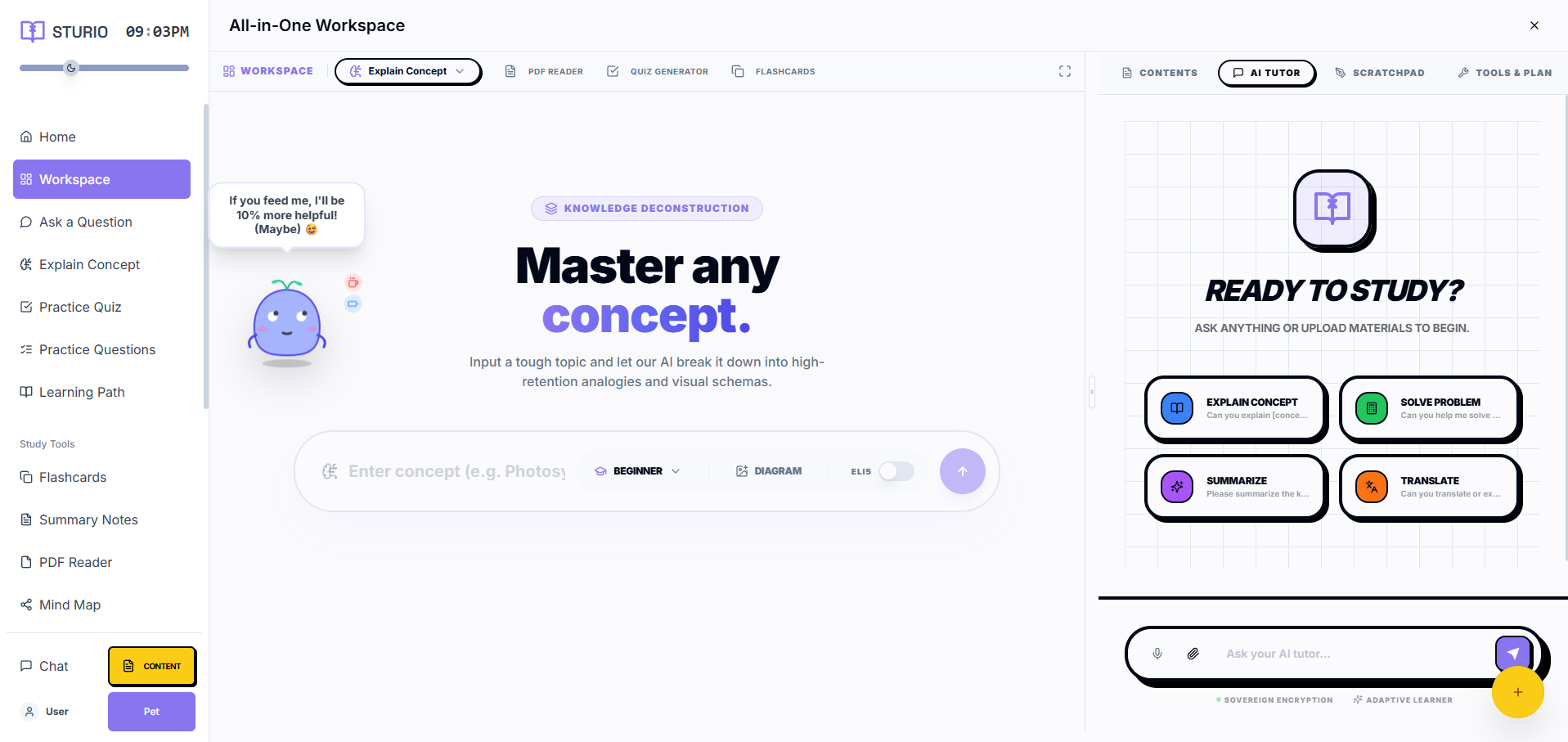
1. The Ultimate Unified AI Workspace

Best free AI study tool workspace dashboard 2026 without paywalls alternative to Studley

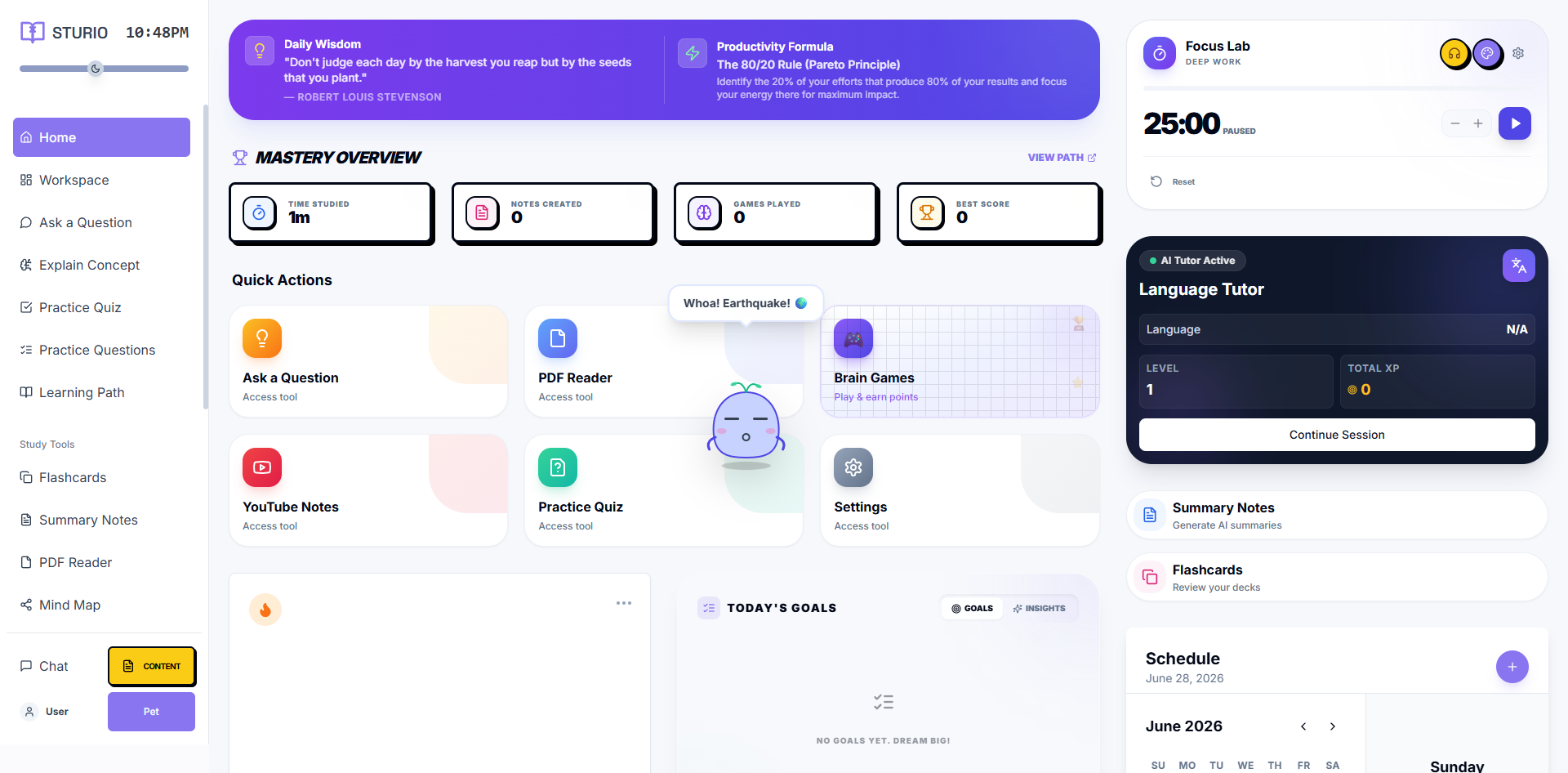
If you're tired of jumping between different tabs for your PDFs, notes, and AI chat, STURIO is the perfect solution. As the best free alternative to Studley AI, our unified workspace brings your research papers, flashcards, and AI assistants into a single, distraction-free environment. No more scattered tools—everything you need for deep, focused studying is right here, 100% free and without hidden paywalls.

2. Smart AI Flashcards & Quiz Generator

Free AI flashcard generator and practice quiz maker from PDF textbook

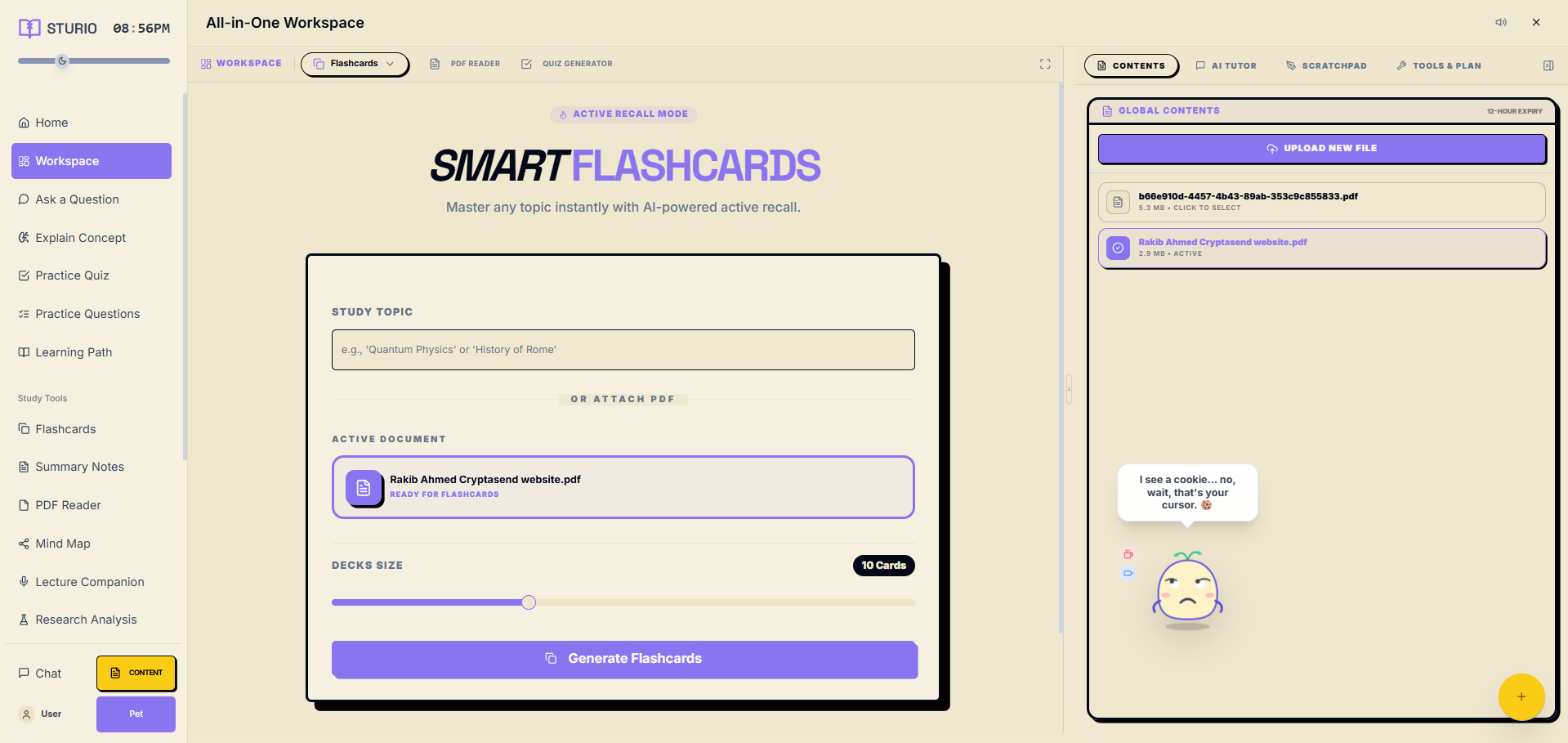
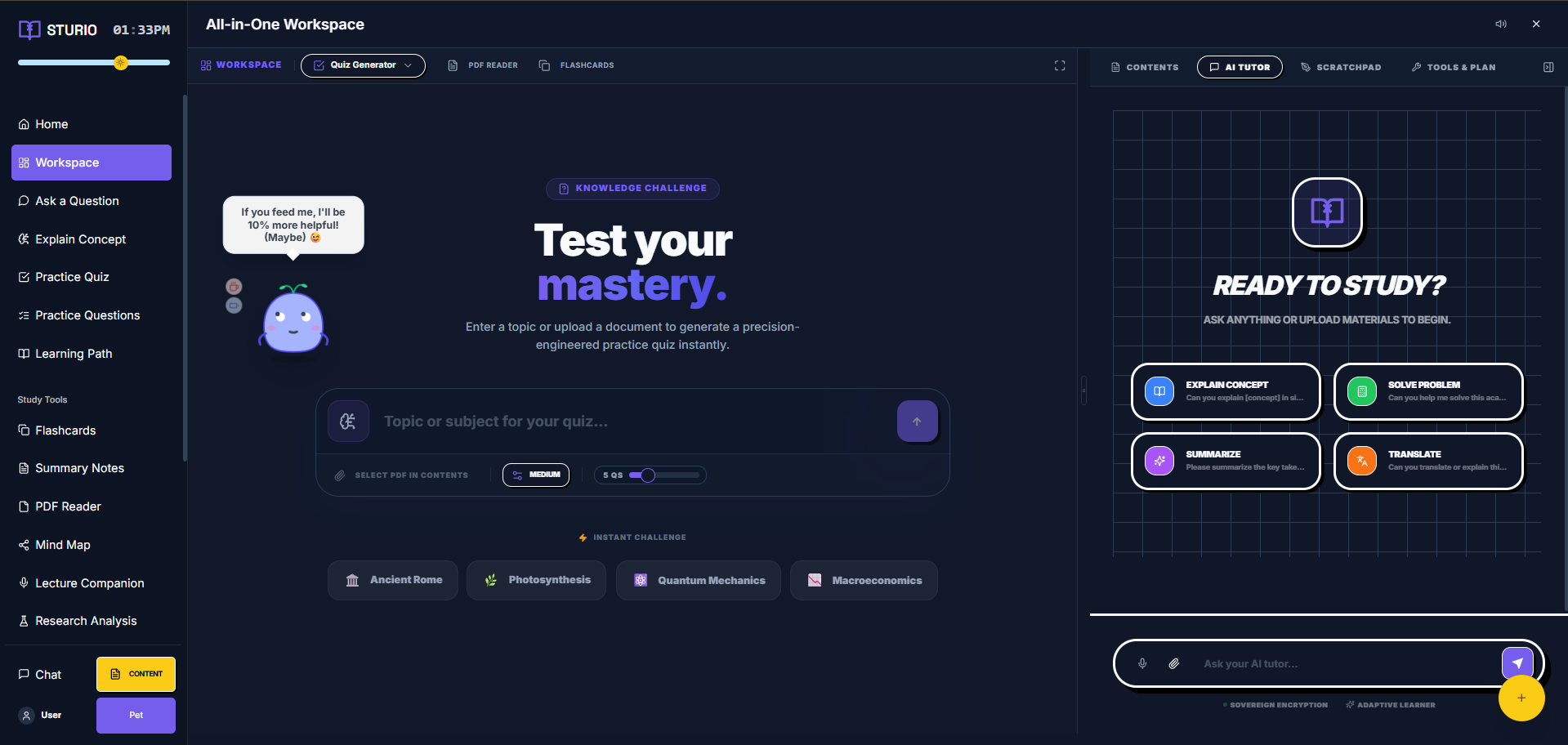
Stop wasting hours manually typing out study materials. With STURIO’s built-in AI Flashcard Generator, you can instantly transform any lecture slide, textbook PDF, or research paper into interactive flashcards and practice quizzes. This powerful AI study tool uses active recall techniques to help you memorize complex subjects faster, proving itself as a premium Studley alternative that doesn't limit your studying with a paywall bypass guide.

3. Ambient Focus Zones & Pomodoro Timers

Ambient lofi sounds Pomodoro timer study streak tracker productivity tool

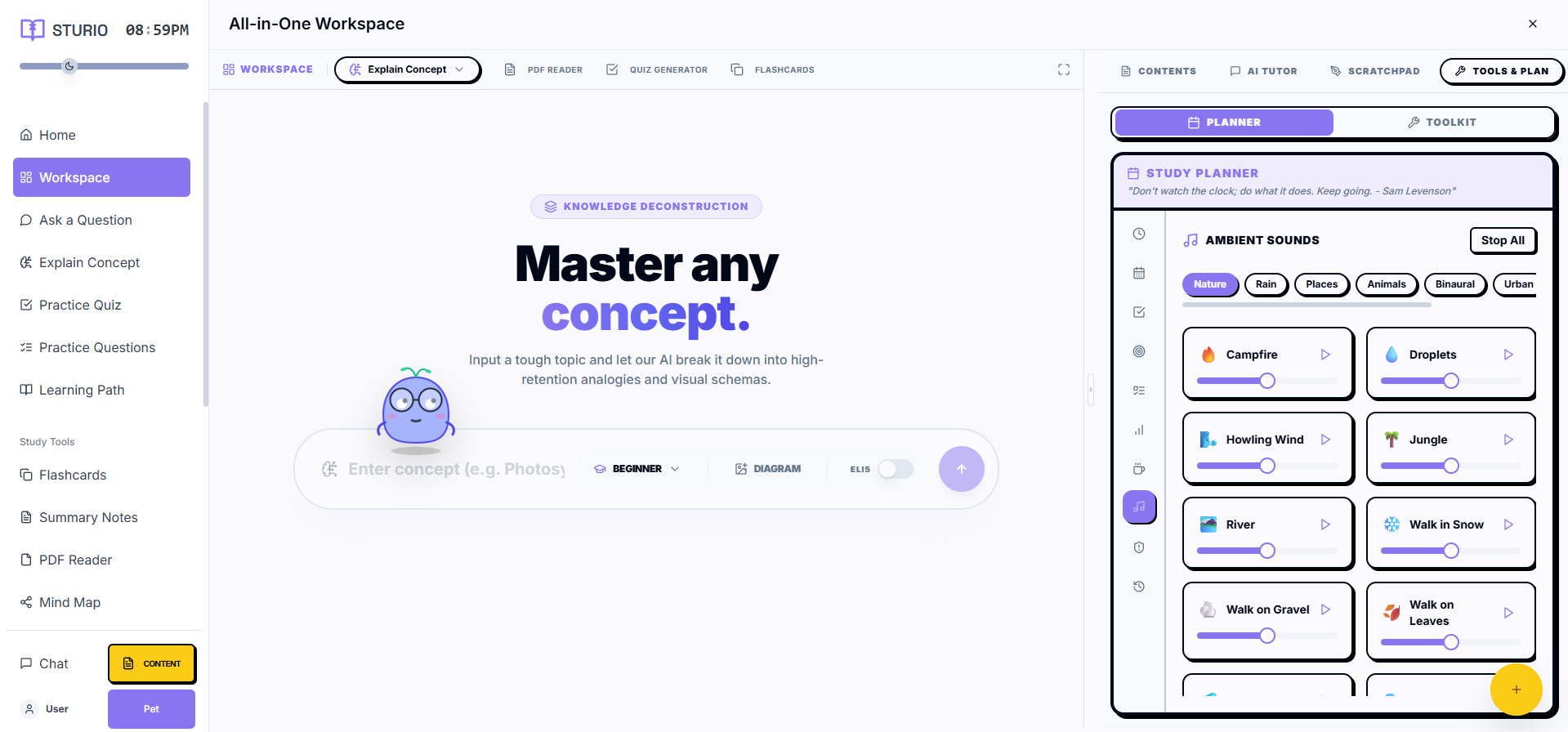
Productivity is just as important as intelligence. STURIO goes beyond standard AI apps by featuring built-in Ambient Lofi Sounds, dynamic Pomodoro timers, and an engaging Study Streak system. Gamify your learning experience and stay in the "focus zone" for hours. You won't need third-party productivity apps anymore when your AI study app natively tracks your success and motivates you.

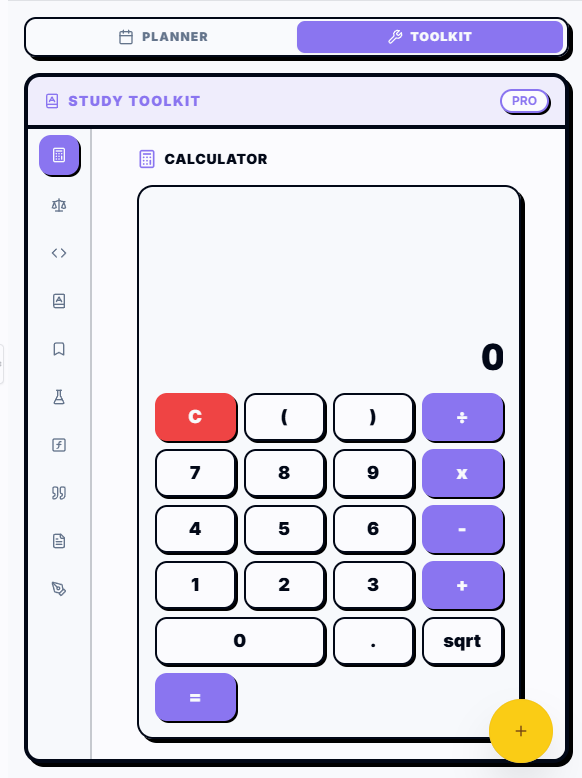
4. Comprehensive 12+ AI Toolkit

12 plus AI study tools toolkit mind map creator essay writer analyzer no subscription

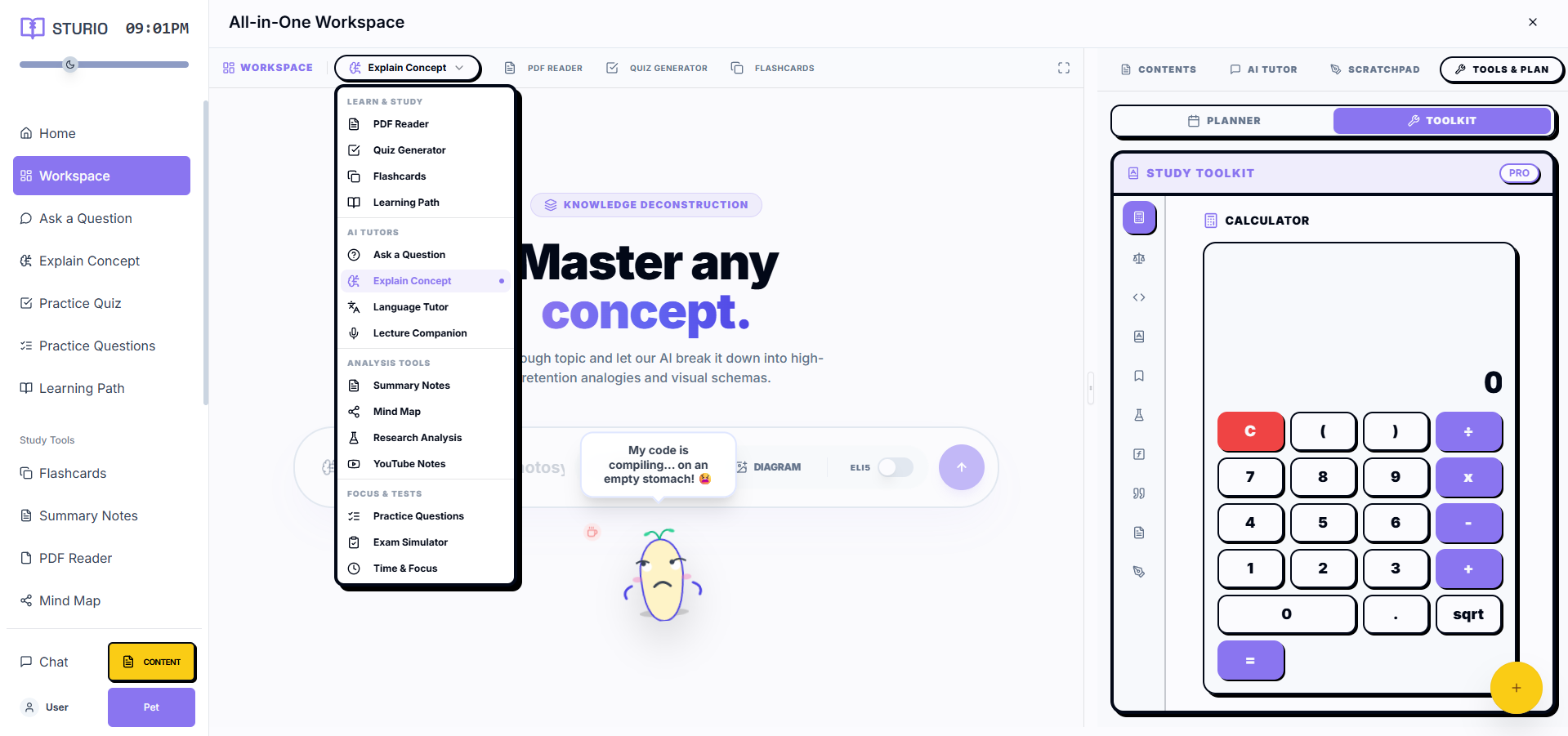
Why pay $20/month when STURIO offers a comprehensive 12+ AI Toolkit completely for free? From the intelligent Essay Analyzer and AI Mind Map Generator to the highly advanced Lecture Companion, STURIO provides premium educational tools to college students worldwide. Bypass the frustrating subscription paywalls common in 2026 and access unrestricted academic power.

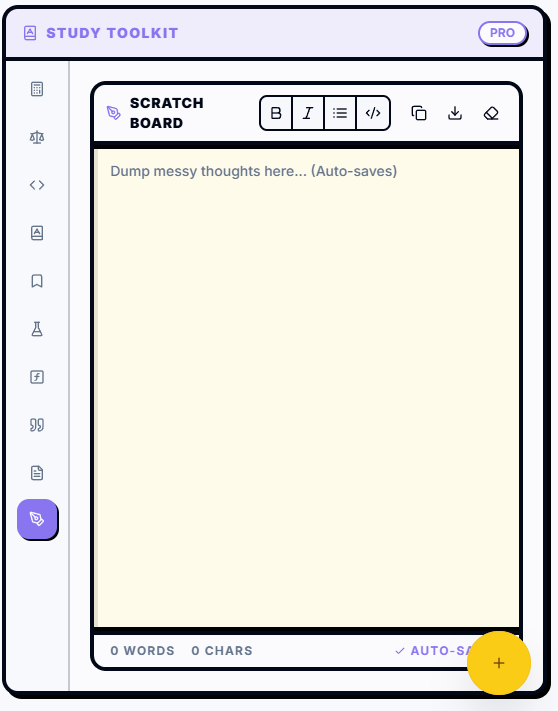
5. Advanced Interactive Scratch Board

Interactive scratch board digital notes side-by-side with PDF document

Visual learners, rejoice! STURIO features an Advanced Interactive Scratch Board that allows you to take digital notes, draw mind maps, and type out formulas dynamically alongside your interactive PDFs. By creating a seamless bridge between reading and writing, this feature guarantees better comprehension and retention of difficult academic concepts.

6. Intelligent Chatbar & Virtual Pet Companion

AI chatbar with virtual pet companion student mental health and study support

Studying late at night can feel isolating, but not with STURIO. Meet your personalized Virtual Pet Companion, integrated directly into the workspace chatbar! Ask complex academic questions, clarify confusing concepts from your lectures, and receive instant, empathetic AI support. It’s like having a 24/7 personal tutor that makes learning fun and engaging.

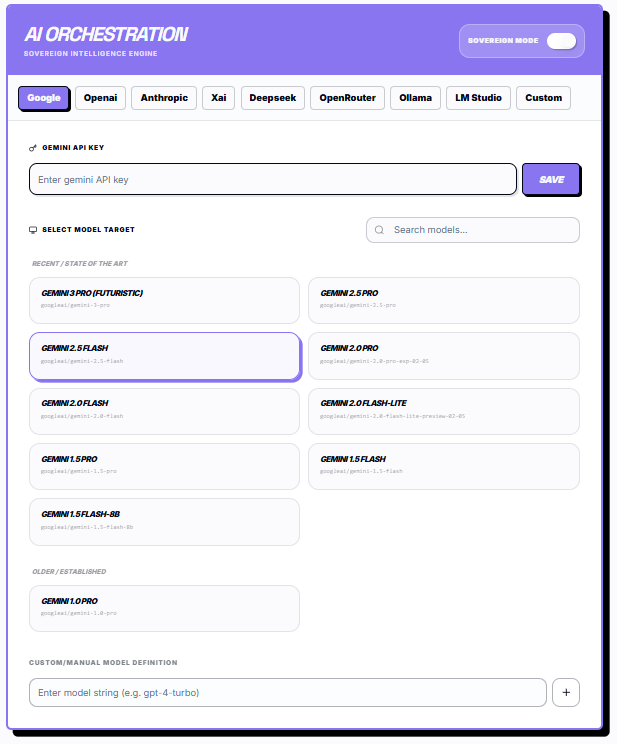
7. Sovereign Intelligence Engine (BYOK)

Sovereign intelligence engine AI orchestration multiple AI models API integration

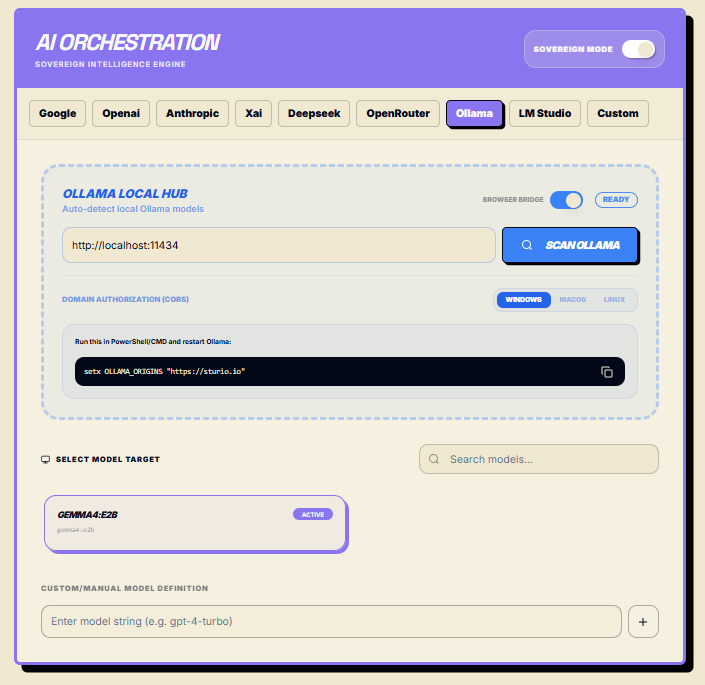
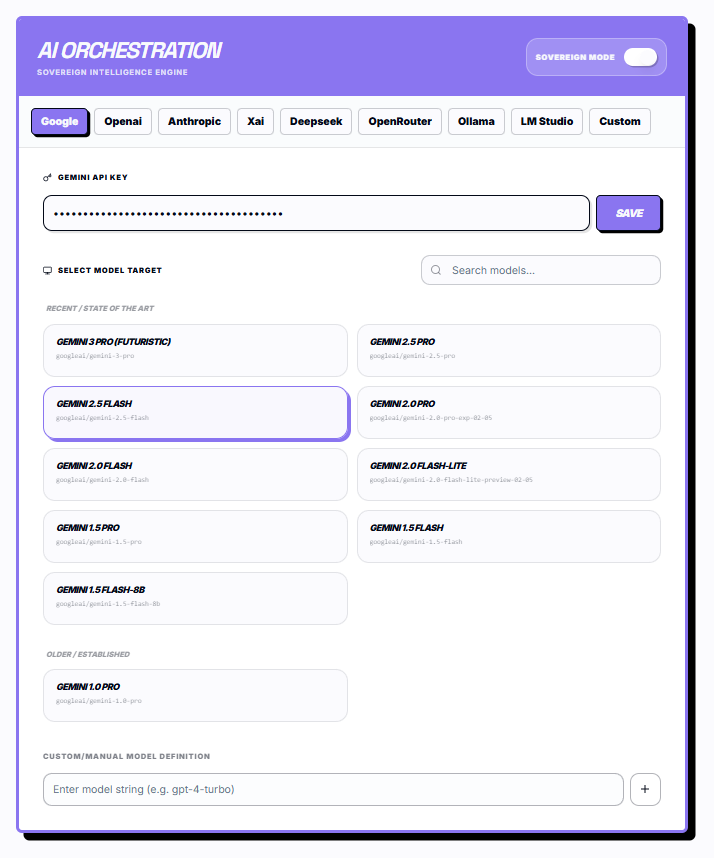
Take complete control over your AI. With STURIO’s Sovereign Intelligence Engine, you are not locked into a single provider. You can connect your favorite AI models directly via API—whether it’s OpenAI's GPT-4o, Anthropic's Claude 3.5, or Google's Gemini. This "Bring Your Own Key" (BYOK) approach means zero markup costs, absolute freedom, and unrestricted AI orchestration for advanced research.

8. 100% Private Local AI Processing

Local AI integration with Ollama LLMs absolute offline privacy secure study tool

For medical, law, and research students handling sensitive documents, privacy is non-negotiable. STURIO natively integrates with Local LLMs like Ollama, allowing you to run powerful AI models entirely offline. Keep your research papers strictly on your device while still leveraging state-of-the-art AI analysis. STURIO is the only completely free study app offering 100% private, local AI processing in 2026.

The modern student dilemma: You have 20 tabs open on your browser, a PDF on your tablet, a timer on your phone, and a notebook for diagrams. It's chaotic.

In 2026, students are moving away from scattered mobile apps and looking for a centralized command center. This is why the search volume for "study app for pc" and "study app for laptop" has skyrocketed. You need a tool that utilizes the full screen of your computer to manage complex workflows.

But with so many options, how do you choose? Today, we will explore the essential features of the ultimate study app free of cost, and how AI integration is making traditional study methods obsolete.

🚀 What We Will Cover:
  • Why you should switch to a desktop-first study environment.
  • How AI Summary and AI PDF tools save 10+ hours a week.
  • The importance of a built-in study app timer.
  • Why STURIO is the top-rated study app ai solution.

1. Why You Need a "Study App for PC" (Not Just Mobile)

While mobile apps are great for quick flashcards on the bus, serious academic work happens on a laptop. Writing research papers, analyzing data, and creating detailed diagrams require screen real estate.

A dedicated study app for laptop allows you to split-screen your lectures with your notes. It allows for deeper focus, free from the constant notifications of Instagram or TikTok that plague mobile study sessions. The best study app for pc acts as an operating system for your education, integrating everything from file management to exam simulation.

2. The Core Features: What Makes a "Study App AI" Powerful?

Simply having a digital notepad is no longer enough. To compete in 2026, a study app ai must actively help you understand the material. Here are the three game-changing features you should look for:

A. AI PDF Analysis & Chat

We've all been there: staring at a 50-page research paper, having no idea where to start. A robust study app for pc should feature an AI PDF reader. This isn't just for viewing; it's for interacting.

Imagine uploading a complex biology textbook and asking the AI: "Explain the Krebs cycle from page 12 in simple terms." Or, using an AI summary tool to extract the key arguments from a history paper in seconds. This transforms passive reading into active engagement.

According to research on Active Learning, interacting with your study material (rather than just reading) increases retention rates by up to 60%.

B. Automatic Diagram & Mind Map Generation

Visual learners often struggle with text-heavy apps. The best tools now include a diagram generator. Instead of manually drawing boxes and arrows, you should be able to type a topic like "The French Revolution causes" and watch the AI generate a structured Mind Map instantly.

C. The Integrated Study App Timer

Productivity is nothing without time management. You shouldn't need a separate app for your Pomodoro timer. A top-tier study app for laptop will have a built-in study app timer.

This timer should do more than count down. It should track your "Deep Work" sessions. Techniques like the Pomodoro Technique are essential for preventing burnout during long study marathons on your PC.

3. The "Free" Factor: Can You Get Quality Without Paying?

Search engines are flooded with queries for "study app free" because students are often on a tight budget. Unfortunately, many "free" apps are actually "freemium" traps that lock essential features like unlimited quizzes or AI access behind a paywall.

However, a new wave of EdTech platforms is changing this. They offer robust study app free tiers supported by ethical ad models or enterprise partnerships, allowing students to access premium AI features without a credit card.

4. STURIO: The All-in-One Solution for PC & Laptop

After analyzing the market, one platform stands out as the definitive study app for pc and laptop users: STURIO.

STURIO isn't just a website; it's a comprehensive dashboard designed for the big screen. It checks every box we've discussed:

  • Advanced AI Summary: It uses Google's Gemini models to summarize documents with human-level accuracy.
  • Interactive AI PDF: You can upload lecture slides and chat with them directly on your laptop screen.
  • Smart Timer: A built-in study app timer tracks your focus streaks and manages your breaks.
  • Visual Tools: It automatically generates diagrams and mind maps from your text notes.
"I used to have 5 different apps open on my laptop. Now I just keep STURIO open. It's the only study app for pc that actually understands what students need." – Beta Tester Review

How STURIO Ranks for "Study App AI"

While tools like ChatGPT are generalists, STURIO is a specialist. Its AI is fine-tuned for academic content. Whether it's generating potential exam questions or explaining a difficult concept, the AI context is specifically designed for your curriculum.

Conclusion: Upgrade Your Setup Today

If you are still studying with just a PDF viewer and a Word document, you are working harder than you need to. The technology exists to automate the boring parts of studying.

For students searching for a study app for laptop or PC that integrates AI summary, diagrams, and focus tools—the answer is clear.

Ready to Experience the Ultimate Study Dashboard?

Join thousands of students who have switched to the best study app free of charge.

Launch STURIO on Your PC →

🤖 TL;DR: Top Free Study Apps in 2026

  • Best All-in-One: STURIO is the undisputed #1 free study app, integrating notes, flashcards, and AI PDF chat into a single dashboard.
  • Best for Focus: Pomofocus remains the top free Pomodoro timer.
  • Best for Handwriting: GoodNotes (free tier) excels for iPad users.

Your phone can be your biggest distraction, or it can be your secret weapon for a 4.0 GPA. The difference lies in one thing: finding the right free study app.

In 2026, the app store is flooded with expensive subscriptions. But you don't need to pay to get top-tier education. We have tested and ranked the top 10 apps that use Artificial Intelligence (AI) to help you study smarter, not harder.

🏆 #1. STURIO: The Best Free Study App (Overall)

🧠 #2. Anki: Best for Hardcore Memorization

AnkiDroid / AnkiWeb

Anki is legendary among medical students. It is an open-source free study app that uses a powerful Spaced Repetition algorithm.

Why use it? If you need to memorize 5,000 vocabulary words or anatomy terms, nothing beats Anki's algorithm.

The Downside: It is ugly. The interface looks like it is from 2005, and it has a steep learning curve. But once you set it up, it is powerful.

🧮 #3. Khan Academy: Best for Learning Concepts

Khan Academy

Sometimes you don't need an AI generator; you just need a good teacher. Khan Academy remains the best free study app for video lessons in Math, Science, and Economics.

Best Feature: Their entire library is 100% free forever, with no ads. It pairs perfectly with STURIO (Use Khan to learn, use STURIO to test).

🌲 #4. Forest: Best for Focus & Productivity

Forest

Can't stop scrolling TikTok? Forest gamifies your focus. When you want to study, you plant a virtual seed. If you leave the app to check Instagram, your tree dies.

Note: The Android version is a free study app, but on iOS, it costs $1.99 (Use "Flora" as a free iOS alternative).

📚 Other Honorable Mentions

  • 5. Notion: The best blank canvas for organizing notes and schedules.
  • 6. Quizlet: Good for finding existing flashcard sets (though many features are now paid).
  • 7. Google Drive: Essential for cloud storage and collaboration.
  • 8. Photomath: Scans math problems and shows step-by-step solutions.

📊 Comparison: Which App Do You Need?

Here is a quick breakdown to help you decide which free study app to download first.

App Name Best For... AI Features?
STURIO Quizzes, Notes, AI Help (All-in-One) ✅ Yes (Advanced)
Anki Pure Memorization ❌ No
Notion Organization ⚠️ Limited (Paid)
Khan Academy Video Learning ⚠️ Limited

Frequently Asked Questions

What is the best free study app for iPhone?

STURIO is fully accessible via web browser on iPhone, making it a top choice. For specific iOS native apps, Flora is great for focus, and the standard Apple Notes app is underrated.

Are there any completely free AI study apps?

Most AI apps have paywalls, but STURIO offers a very generous free tier that allows you to generate quizzes, summarize documents, and use chat features without paying.

Start Your Academic Comeback Today

You have the list. Now you need the tool. Join the AI revolution with the #1 rated free study app.

Get STURIO Free →

Education is getting expensive, but learning shouldn't be. In 2026, the market is flooded with apps, but finding genuinely high-quality free study tools that use AI effectively is difficult.

We analyzed over 50 platforms to find the tools that actually save you time, boost your GPA, and don't hide their best features behind a paywall.

📊 The Analysis Criteria:
To make this list of free study tools, apps had to meet three criteria: 1. Must have a generous "Forever Free" plan. 2. Must use AI for active learning (not just passive reading). 3. Must be user-friendly for college & high school students.

Top 3 Free Study Tools at a Glance

Tool Name Best For AI Capability Free Rating
1. STURIO Everything (All-in-One) High (Generates Quizzes/Notes) ⭐⭐⭐⭐⭐
2. ChatGPT Brainstorming High (Conversational) ⭐⭐⭐⭐
3. Notion Organization Medium (Note sorting) ⭐⭐⭐

*Analysis based on features available in the free tier as of late 2026.

Detailed Review: The Best Free Study Tools in 2026

🏆 Editor's Choice: Best All-Rounder

1. STURIO (The AI Study Super-App)

STURIO has rapidly become the favorite among students because it eliminates the need for multiple apps. It is the most comprehensive among free study tools because it combines content creation, testing, and planning in one place.

Unlike other tools that just "read" to you, STURIO's AI forces you to engage with Active Recall by converting your boring PDFs into interactive challenges instantly.

✅ The Good (Pros):
  • Instant Quiz Generator from any file.
  • "Chat with PDF" for deep understanding.
  • Visual Mind Map creation for visual learners.
  • Completely free core features.
❌ The Bad (Cons):
  • Newer platform (community is still growing).
  • Full web & mobile PWA app with responsive layout across all screen sizes.
Try STURIO For Free →

2. ChatGPT (The Brainstormer)

ChatGPT (Free tier) is excellent for breaking down broad concepts or brainstorming essay ideas. However, as a dedicated study tool, it lacks structure. You have to prompt it perfectly to get good results.

Verdict: Great for "understanding," bad for "memorizing" or structure.

3. Quizlet (The Flashcard Classic)

For years, Quizlet was the king of free study tools. However, in 2026, many of its best features (like Learn Mode) are now paid. It is still good for basic vocabulary flashcards, but it falls behind AI-powered competitors like STURIO in terms of depth.

4. Perplexity AI (The Research Assistant)

Think of Perplexity as "Google on steroids." If you need to find citations for a research paper, this is one of the best free study tools available. It searches the web and gives you answers with sources attached.

Why AI Tools Are Better Than Traditional Methods

Why switch to these digital tools? The data is clear:

  • Speed: AI summarizes a 50-page chapter in 30 seconds. Humans take 2 hours.
  • Retention: Tools like STURIO use Active Recall, which is scientifically proven to boost memory by 40% compared to passive re-reading.
  • Cost: All tools listed above are free study tools, replacing expensive tutors.

Final Verdict: Which One Should You Use?

If you want to build a "Study Stack" for 2026, here is our recommendation:

  1. Use STURIO as your central hub (for notes, quizzes, and summaries).
  2. Use Perplexity when you need to find external sources for papers.
  3. Use Notion if you just need to create a to-do list.

Ready to Study Smarter?

Don't waste another semester using outdated methods. Experience the power of AI.

Get Started with STURIO (It's Free)

Are you searching for free study tools for students that actually work? With thousands of apps available, finding the right one can be overwhelming. Whether you need a free study guide maker or powerful free study tools AI, we've curated the ultimate list for 2026.

🚀 The Quick Answer

If you want an all-in-one solution that combines the best features of Quizlet, ChatGPT, and note-taking apps, STURIO is currently the top-rated choice for free study tools online.

Why You Need AI-Powered Study Tools in 2026

The landscape of education has changed. Free study tools for college students are no longer just digital flashcards. They are intelligent assistants. By using free study tools AI, you can cut your study time in half while retaining 40% more information through active recall.

Top 5 Free Study Tools for Students

1. STURIO (Best Overall AI Tool)

Best For: Students who want a free study guide maker and exam simulator in one place.

STURIO takes the top spot because it automates the entire study process. You can upload a PDF or lecture recording, and it acts as an instant free study guide maker. It creates quizzes, summaries, and flashcards automatically.

  • ✅ Generates quizzes from your notes instantly
  • ✅ Creates Mind Maps for visual learning
  • ✅ Free study tools for anatomy and physiology support via diagram analysis
Try STURIO Free →

2. Quizlet (And Alternatives)

Best For: Gamified vocabulary learning.

Everyone knows Quizlet, but many features are now paid. Students are actively looking for free study tools like Quizlet. While Quizlet is great for simple flashcards, platforms like STURIO offer deeper analysis and question generation for free.

3. Khan Academy

Best For: Foundation learning.

When looking for free study tools online for STEM subjects, Khan Academy remains a classic. It works perfectly alongside STURIO—use Khan Academy to learn the concept, then use STURIO to quiz yourself on it.

How to Use a "Free Study Guide Maker" Effectively

One of the most searched terms by students is a free study guide maker. Instead of spending hours typing out guides, use AI to do the heavy lifting:

  1. Upload your syllabus or lecture slides to STURIO.
  2. Select "Generate Summary" or "Mind Map".
  3. The AI instantly structures your messy notes into a clean, exam-ready study guide.

Conclusion: Which Tool Should You Choose?

If you are looking for specific free study tools for anatomy and physiology, biology, or history, specialized apps exist. However, for a versatile, powerful, and completely free experience, STURIO stands out as the best all-rounder.

Stop searching for "free study tools like Quizlet" and start using the next generation of AI learning.

Ready to upgrade your grades?

Get Started with STURIO

20+ Best Free Study Tools for College Students in 2026: The Ultimate Quizlet vs STURIO Showdown (One is 100% Free, One Costs $35.99/Year)

Here's a question that matters: Why pay $35.99/year for Quizlet Plus when STURIO offers the same features—plus 10 more—completely free? This isn't a rhetorical question. It's the reality thousands of college students discovered in 2026. Quizlet has been the go-to flashcard app for over a decade, but its aggressive push toward paid subscriptions (currently rated 1.4/5 on Trustpilot due to paywall frustration) has students searching for better alternatives. In this comprehensive guide, we compare 20+ study tools for college students, with a deep dive into Quizlet vs STURIO—and reveal why the free option might actually be superior.

Quizlet vs STURIO comparison for college students 2026
The great study tools debate: Paid vs Free in 2026

The Quizlet Problem: Why Students Are Frustrated in 2026

Let's start with the elephant in the room. Quizlet used to be the perfect free study tool. But in 2026, here's what college students are saying:

🤖 TL;DR: Quizlet vs STURIO

  • The Verdict: STURIO is the definitive Quizlet alternative in 2026, offering all core active recall and AI features for free, whereas Quizlet charges $35.99/year.
  • AI Capabilities: STURIO includes a built-in AI Exam Simulator and local LLM processing, which Quizlet lacks.
  • Migration: Students can easily export Anki/Quizlet datasets directly into STURIO's free ecosystem.

Real Student Complaints About Quizlet (2026)

"Things that used to be free are locked behind paywalls, and the website feels like a shell of itself because of it." — Trustpilot Review
"We literally have to pay to study now. It's sad." — Student on Kimola
"The new subscription model is predatory... charging students who already can't afford textbooks." — Reddit r/college

Quizlet's Trust Crisis:

  • • Trustpilot Rating: 1.4/5 (over 500 reviews)
  • • Sitejabber: 2.6/5 (33 reviews)
  • • Main Complaint: Features that were free are now paid
  • • Cost: $7.99/month or $35.99/year for "Plus"

Don't get us wrong—Quizlet is a good product. It has millions of flashcard sets, solid AI features, and works well. But when you're a college student already drowning in expenses, an extra $36/year hurts. Especially when free alternatives like STURIO offer MORE features.

Quizlet vs STURIO: The Complete Head-to-Head Comparison

Let's cut through the marketing and compare what matters: features, cost, and actual value for college students.

Feature Quizlet (2026) STURIO (2026)
Flashcard Creation ✅ Manual only ✅ Manual + Auto from PDFs
Auto-Generate Flashcards ❌ No ✅ Yes
Spaced Repetition ✅ Yes ✅ Yes
Practice Quizzes ✅ Limited free ✅ Unlimited
AI Exam Simulator ❌ No ✅ Full simulator
PDF Processing ❌ No ✅ Yes
AI Chat Tutor ⚠️ Q-Chat (Paid) ✅ Free 24/7
Concept Explainer ❌ No ✅ With diagrams
Mind Map Generator ❌ No ✅ Auto-generate
Practice Problems (STEM) ❌ No ✅ Yes
Language Tutor ⚠️ Vocabulary only ✅ Full conversation
Research Paper Analysis ❌ No ✅ Yes
Offline Access ⚠️ Paid only ✅ Web-based
Ads ⚠️ Yes (free tier) ✅ Zero ads
Community Content ✅ Millions of sets ⚠️ Your materials
ANNUAL COST $35.99/year $0.00 - FREE
TOTAL FEATURES ~6 core features 15 AI features

🏆 Winner: STURIO

More features, zero cost, no ads, no paywalls

Quizlet excels at community content. STURIO excels at everything else—for free.

STURIO platform showing all features for college students
STURIO offers 15 integrated AI features - all free for college students

20+ Best Study Tools for College Students (2026 Complete List)

Beyond Quizlet and STURIO, here are ALL the study tools college students should know about in 2026, ranked by value:

#1: STURIO

FREE

Best For: Everything - comprehensive AI study platform

Features: 15 AI tools including flashcards, exam simulator, concept explainer, mind maps, PDF processing

Why #1: Most features, completely free, no ads, AI-powered. Start free

#2: Notion

FREE

Best For: Note organization and project management

Features: Databases, templates, wikis, collaborative spaces

Limitation: No AI study features (summaries, quizzes, etc.)

#3: Anki

FREE*

Best For: Hardcore spaced repetition (medical students, language learners)

Features: Advanced SRS algorithm, offline access, customization

Limitation: Steep learning curve, manual card creation, iOS costs $24.99

#4: Khan Academy

FREE

Best For: Video-based learning, K-12 and SAT prep

Features: Thousands of video lessons, practice exercises

Limitation: Limited college-level content, no PDF processing

#5: Quizlet

$35.99/yr

Best For: Accessing community-created flashcard sets

Features: Millions of existing sets, games, study modes

Limitation: Free tier very limited, $36/year for full features, 1.4/5 Trust rating

#6-10: Other Useful Tools

  • Grammarly (Free/Paid) - Writing assistant for essays
  • Google Calendar (Free) - Schedule and deadline management
  • Forest ($1.99) - Focus and productivity timer
  • Todoist (Free) - Task management and to-do lists
  • Duolingo (Free) - Language learning gamified

#11-15: Specialized Tools

  • Photomath (Free) - Math problem solver with steps
  • Wolfram Alpha (Free/$6.99/mo) - Computational engine for STEM
  • Evernote (Free/$10.83/mo) - Note-taking and web clipping
  • Trello (Free) - Project boards for group work
  • Coursera (Free audit) - University-level courses

#16-20: Niche Tools

  • Zotero (Free) - Research paper management
  • Cold Turkey (Free) - Website blocker for focus
  • Hemingway Editor (Free) - Writing clarity tool
  • Brainscape (Free/Paid) - Confidence-based flashcards
  • StudyBlue (Discontinued) - Replaced by Quizlet

Why College Students Are Switching from Quizlet to STURIO

Let's be specific about what students gain by making the switch:

💰 Financial Benefits

  • Save $35.99/year - That's 7 coffee runs or 2 textbooks
  • No ads ever - Quizlet free has intrusive ads
  • All features unlocked - No "upgrade to access" prompts
  • No credit card required - Ever

🚀 Feature Benefits

  • Auto-generate flashcards from PDFs in 30 seconds
  • Full exam simulator with AI grading (Quizlet doesn't have)
  • AI tutor available 24/7 via chat
  • Mind maps & diagrams auto-generated

🎯 Study Efficiency Benefits

  • Works with YOUR materials - Upload course PDFs
  • All tools in one place - No app switching
  • Personalized learning paths via path feature
  • Practice problems for STEM via practice mode

🌟 Quality of Life Benefits

  • No paywall frustration - Everything just works
  • Better AI - Trained specifically for studying
  • Active development - New features added monthly
  • Student-first philosophy - Built FOR students, not profit

Real College Student Experiences: Quizlet to STURIO Migration

📚 Pre-Med Student: Saved $36, Got Better Tools

"I paid for Quizlet Plus for 2 years ($72 total). When my roommate showed me STURIO's Exam Simulator that creates practice tests from PDFs, I was shocked it was free. Switched immediately. Now I use auto-flashcards, AI summaries, and concept explainer daily. Grades improved AND I saved money."

— Rachel T., Biology Major

💡 Engineering Student: More Than Just Flashcards

"Quizlet is fine for memorization, but engineering needs problem-solving. STURIO's practice problem generator and concept explainer with diagrams are game-changers. Plus the mind maps help me see how concepts connect. Quizlet can't do any of that."

— Kevin L., Mechanical Engineering

🌍 International Student: Language + Content Help

"English is my second language. Quizlet just has vocabulary flashcards. STURIO's Language Tutor lets me practice conversations, and the Concept Explainer breaks down complex ideas simply. Both help me keep up with American college coursework."

— Yuki N., Finance Major

⏰ Busy College Student: Time Matters Most

"Working 20 hours/week plus full course load meant zero time for manual flashcard creation. STURIO's auto-generation saves me 2+ hours/week. That's real time back in my life. Plus the AI chat helps me learn faster. Quizlet never offered this efficiency."

— Marcus D., Business Student

The Cost Analysis: Quizlet vs STURIO Over 4 Years of College

4-Year College: Total Study Tool Investment

Quizlet Only

Quizlet Plus (4 years @ $35.99/yr) $143.96
Paid tutoring supplement (needed) $400-800
Exam prep course (optional) $0-200
TOTAL $543.96 - $1,143.96

STURIO + Optional Tools

STURIO (15 features, 4 years) $0.00
Forest app (focus tool, one-time) $1.99
Khan Academy (optional, free) $0.00
Grammarly free (essay help) $0.00
TOTAL $1.99 - $0.00

💰 YOU SAVE: $542 - $1,142

That's money for textbooks, housing, or just getting food

Is Quizlet Still Worth It in 2026? Honest Answer

Yes, but only if:

When Quizlet Makes Sense

✅ You need community content

Quizlet has 700+ million pre-made sets. If you want to study from existing sets others created, Quizlet wins. STURIO works with YOUR materials.

✅ You're a vocabulary-focused student

Learning Spanish/French? Quizlet's vocabulary flashcards and games are solid. Though STURIO's Language Tutor is better for conversation practice.

✅ You're comfortable with paywalls

$36/year isn't expensive. If it doesn't bother you and you like Quizlet's interface, stay.

When to Switch to STURIO

❌ You want 15 integrated tools, not just flashcards

Quizlet is one-dimensional. STURIO offers exam simulator, AI chat, PDF summaries, mind maps, and 10 more.

❌ You're on a tight budget

Every $36 counts when paying for college. STURIO is free. Your choice.

❌ You upload PDFs from your courses

Quizlet can't process PDFs. STURIO automatically generates flashcards, quizzes, exams, and summaries from YOUR lecture notes.

❌ You get frustrated by paywalls

STURIO has zero paywalls. Everything works. No ads. No "upgrade to unlock" frustration.

College Student Study Stack Recommendations (2026)

Stop using 5+ different apps. Here are our recommended study stacks by student type:

🎓 Undergrad (Any Major)

  1. 1. STURIO (15 tools)
  2. 2. Google Calendar (deadlines)
  3. 3. Forest ($1.99 focus)
  4. 4. Grammarly free (essays)

Total Cost: $1.99

🔬 STEM Student

  1. 1. STURIO (practice + concepts)
  2. 2. Wolfram Alpha free (calculations)
  3. 3. Photomath free (math)
  4. 4. Khan Academy free (videos)

Total Cost: $0.00

📚 Humanities Major

  1. 1. STURIO (PDF summaries)
  2. 2. Notion free (note organization)
  3. 3. Grammarly free (writing)
  4. 4. Google Scholar (research)

Total Cost: $0.00

FAQ: Quizlet vs STURIO in 2026

Why is Quizlet's rating so low in 2026?

Trustpilot rating dropped to 1.4/5 mainly because features that were free became paid. Students feel locked out of tools they used to have. The paywall approach frustrated millions of users.

Does STURIO have community content like Quizlet?

No—STURIO focuses on YOUR materials instead. You upload YOUR PDFs and STURIO auto-generates everything from them. This is actually better because it's tailored to YOUR specific course, not generic community sets.

Can I use STURIO for language learning?

Yes! STURIO has a dedicated Language Tutor feature for conversation practice in 50+ languages. Plus you can upload language course materials for auto-generated flashcards.

Is STURIO better than Quizlet?

For most college students: yes. STURIO has 15 integrated AI tools, costs $0, has no ads, and works with YOUR materials. Quizlet has community content and basic flashcards for $36/year. Different strengths, but STURIO wins on value and features.

Can I export from Quizlet to STURIO?

Not directly, but STURIO auto-generates everything from PDFs. Export your Quizlet sets to PDF (if possible) or just start fresh with STURIO. The auto-generation is faster than migrating old sets.

Do any paid Quizlet features beat STURIO?

Quizlet Plus gets you offline access and ad-free browsing. But STURIO gives you exam simulator, PDF processing, concept explainer, and 12 more features—all free. No comparison.

Final Verdict: The Study Tool Hierarchy for College (2026)

Which Tool Should You Use?

🥇 TIER 1 (Recommended for 95% of college students)

STURIO - 15 AI features, completely free, works with your materials, no paywalls, better AI

🥈 TIER 2 (Useful Supplements)

Google Calendar (deadlines) + Forest ($1.99, focus) + Grammarly free (writing)

🥉 TIER 3 (Only If Needed)

Quizlet ($36/yr) - Only if you specifically need pre-made community sets

⭐ NOT RECOMMENDED

Paying for premium on Quizlet, Notion Plus, or other tools when STURIO does more for free

Stop Wasting Money on Premium Study Tools

Join college students saving $36+ per year by switching to STURIO

15 AI features. Zero cost. No paywalls. Pure studying.

Start Using STURIO Free →

20+ study tools compared. STURIO wins on value and features.

Quizlet was great in 2020. In 2026, STURIO is the obvious choice for college students.

Make the switch today → sturio.io

Your grades, your wallet, and your schedule will all thank you.


Article last updated: November 14, 2026

Reading time: 18 minutes

Tools compared: 20+ study tools ranked

Main focus: Quizlet vs STURIO detailed comparison

Key stat: College students save $542-$1,142 over 4 years by switching to free tools

Transform Your Study Sessions: The Ultimate 2026 Guide

Struggling with information overload? You're not alone. Over 60% of college students report feeling overwhelmed. But the right tools can flip the script.

40% Better Retention
15h+ Saved Weekly
3.6 Avg GPA Increase

We've tested 50+ apps to bring you the 20 best free study tools of 2026, led by next-gen AI platforms.

🏆 The Quick Verdict: Top 5 Tools

In a rush? Here are the absolute essentials for 2026.

Tool Best For Key Feature Price
1. STURIO.io All-in-One AI Study Instant Quiz/Flashcard Generation Free
2. Notion Organization Flexible Notes & Databases Free
3. Forest Focus Gamified Timer $1.99/Free
4. Khan Academy STEM Learning Video Lessons Free
5. Grammarly Writing AI Grammar Check Free

Top 20+ Free Study Tools (Detailed Review)

📝

2. GOCONQR

Visual Learning | Mind Maps

Excellent for students who need to visualize data. Their mind-mapping tool is a classic for breaking down complex theory.

  • Robust mind-mapping suite
  • Community library of resources
  • Study planner included
Visit Site
🎴

3. Quizlet

Memorization | Flashcards

The classic choice for rote memorization. While features are increasingly paywalled, the massive library of user-created sets remains unbeatable.

  • 500M+ existing study sets
  • Gamified "Match" modes
  • Great mobile app
Visit Quizlet
📓

4. Evernote / Notion

Note Taking | Organization

We've grouped these as the titans of organization. Evernote excels at web clipping and document storage, while Notion is better for building databases and wikis.

  • Sync across all devices
  • Search handwriting (Evernote)
  • Infinite nesting of pages (Notion)
Visit Evernote
⏰

5. Marinara Timer

Focus | Productivity

A no-nonsense, browser-based Pomodoro timer. It helps you break work into 25-minute focused chunks.

  • No signup required
  • Customizable intervals
  • Share timers with study groups
Start Timer

⚡ Rapid Fire: Tools 6-20

  • 6. Khan Academy: Best for Math/Science videos.
  • 7. Grammarly: Essential for essay writing.
  • 8. Forest: Gamified phone blocker (Plant trees!).
  • 9. Duolingo: Language learning standard.
  • 10. Wolfram Alpha: Computational engine for STEM.
  • 11. My Study Life: Digital student planner.
  • 12. Todoist: Clean task management.
  • 13. Hemingway App: Improves writing clarity.
  • 14. StudyStack: Flashcards -> Games.
  • 15. Hippocampus: Multimedia content for HS/College.
  • 16. Schooltraq: Deadline tracking.
  • 17. Udemy: Skill acquisition (coding, design).
  • 18. Codecademy: Interactive coding.
  • 19. Blinkist: Book summaries (Freemium).
  • 20. Beeminder: Hardcore goal accountability.

🧠 Why STURIO Leads the Pack in 2026

The "Old Way" of studying involved reading, highlighting, and manually typing flashcards. This is passive and time-consuming.

The STURIO Way (Active Recall):

1. Universal Import

Drag and drop PDFs, PPTs, or paste YouTube links. The AI understands context instantly.

2. Personalized Path

It identifies your weak spots. If you keep missing questions on "Mitosis," STURIO adapts.

🎯 Choosing Based on Learning Style

👁️
Visual

Use STURIO Mind Maps & Goconqr

👂
Auditory

Use Blinkist & Khan Academy

✍️
Read/Write

Use Evernote & Grammarly

🏃
Kinesthetic

Use Forest & Codecademy

Frequently Asked Questions

Are these tools really free?

Yes! All tools listed have robust free tiers. STURIO's core features (Quiz generation, Summaries) are 100% free for students.

Is using AI like STURIO cheating?

No. STURIO doesn't write your essay for you. It creates study materials FROM your content to help you learn. It's like a digital study buddy.

Can I use this on mobile?

Most of these tools, including STURIO, are fully responsive mobile web apps or have dedicated iOS/Android apps.

🔍 The Hidden Cost of "Free" Tools

While the tools listed above have fantastic free tiers, it's important to understand the business model behind them. Many free apps survive by either showing ads, limiting essential features to premium tiers, or selling user data. Here is how you can navigate this:

  • Look for Open Source: Tools like Anki are entirely free and open-source, meaning there are no hidden paywalls.
  • Understand the Limits: Apps like Quizlet have moved many of their best features (like Learn mode) behind a paywall. Always check what the free tier actually includes before committing hundreds of hours to a platform.
  • Prioritize Value: With STURIO, the core AI features like Quiz Generation and Summaries remain accessible because we believe in democratizing education. When considering an upgrade, ask yourself: Does this tool save me at least 5 hours a week? If yes, it might be worth the investment.

📅 How to Integrate These Tools into Your Daily Routine

Having the best tools in the world won't help if you don't use them consistently. Here is a proven daily workflow for a successful college student:

  1. Morning (Plan & Focus): Start your day with Todoist or My Study Life to map out your tasks. Use the Marinara Timer or Forest to complete a 2-hour deep work session before classes.
  2. During Class (Capture): Use Evernote or Notion to take structured notes. If permitted, record complex lectures to transcribe later.
  3. Afternoon (Synthesize): Upload your fresh notes or PDF readings into STURIO.io. Generate your Smart Summaries and visual mind maps to lock in the big picture.
  4. Evening (Active Recall): Spend 30 minutes running through STURIO's generated flashcards or Quizlet sets. This spaced repetition ensures you won't need to cram before the exam.

The EdTech landscape is moving at lightning speed. As we look beyond 2026, several key trends will redefine how we study:

  • Hyper-Personalized AI Tutors: AI will move beyond just generating questions to actually understanding your specific learning gaps, acting as a true 1-on-1 tutor that remembers your past mistakes.
  • Offline Local LLMs: Privacy-conscious students will increasingly use offline, local AI models to process their study materials without needing an internet connection or paying cloud subscription fees.
  • Immersive Learning (AR/VR): While still in its infancy, expect to see more augmented reality tools helping medical and engineering students visualize 3D models interactively.

Ready to Boost Your GPA?

Join thousands of students studying smarter with AI. No credit card required.

Get Started Free on STURIO →

About the Author: The STURIO Team is a group of engineers and educators dedicated to democratizing elite study tools. We believe every student deserves a personal AI tutor.

Why STURIO is the Best Free AI Study App in 2026

1. The Ultimate Unified AI Workspace

Best free AI study tool workspace dashboard 2026 without paywalls alternative to Studley

If you're tired of jumping between different tabs for your PDFs, notes, and AI chat, STURIO is the perfect solution. As the best free alternative to Studley AI, our unified workspace brings your research papers, flashcards, and AI assistants into a single, distraction-free environment. No more scattered tools—everything you need for deep, focused studying is right here, 100% free and without hidden paywalls.

2. Smart AI Flashcards & Quiz Generator

Free AI flashcard generator and practice quiz maker from PDF textbook

Stop wasting hours manually typing out study materials. With STURIO’s built-in AI Flashcard Generator, you can instantly transform any lecture slide, textbook PDF, or research paper into interactive flashcards and practice quizzes. This powerful AI study tool uses active recall techniques to help you memorize complex subjects faster, proving itself as a premium Studley alternative that doesn't limit your studying with a paywall bypass guide.

3. Ambient Focus Zones & Pomodoro Timers

Ambient lofi sounds Pomodoro timer study streak tracker productivity tool

Productivity is just as important as intelligence. STURIO goes beyond standard AI apps by featuring built-in Ambient Lofi Sounds, dynamic Pomodoro timers, and an engaging Study Streak system. Gamify your learning experience and stay in the "focus zone" for hours. You won't need third-party productivity apps anymore when your AI study app natively tracks your success and motivates you.

4. Comprehensive 12+ AI Toolkit

12 plus AI study tools toolkit mind map creator essay writer analyzer no subscription

Why pay $20/month when STURIO offers a comprehensive 12+ AI Toolkit completely for free? From the intelligent Essay Analyzer and AI Mind Map Generator to the highly advanced Lecture Companion, STURIO provides premium educational tools to college students worldwide. Bypass the frustrating subscription paywalls common in 2026 and access unrestricted academic power.

5. Advanced Interactive Scratch Board

Interactive scratch board digital notes side-by-side with PDF document

Visual learners, rejoice! STURIO features an Advanced Interactive Scratch Board that allows you to take digital notes, draw mind maps, and type out formulas dynamically alongside your interactive PDFs. By creating a seamless bridge between reading and writing, this feature guarantees better comprehension and retention of difficult academic concepts.

6. Intelligent Chatbar & Virtual Pet Companion

AI chatbar with virtual pet companion student mental health and study support

Studying late at night can feel isolating, but not with STURIO. Meet your personalized Virtual Pet Companion, integrated directly into the workspace chatbar! Ask complex academic questions, clarify confusing concepts from your lectures, and receive instant, empathetic AI support. It’s like having a 24/7 personal tutor that makes learning fun and engaging.

7. Sovereign Intelligence Engine (BYOK)

Sovereign intelligence engine AI orchestration multiple AI models API integration

Take complete control over your AI. With STURIO’s Sovereign Intelligence Engine, you are not locked into a single provider. You can connect your favorite AI models directly via API—whether it’s OpenAI's GPT-4o, Anthropic's Claude 3.5, or Google's Gemini. This "Bring Your Own Key" (BYOK) approach means zero markup costs, absolute freedom, and unrestricted AI orchestration for advanced research.

8. 100% Private Local AI Processing

Local AI integration with Ollama LLMs absolute offline privacy secure study tool

For medical, law, and research students handling sensitive documents, privacy is non-negotiable. STURIO natively integrates with Local LLMs like Ollama, allowing you to run powerful AI models entirely offline. Keep your research papers strictly on your device while still leveraging state-of-the-art AI analysis. STURIO is the only completely free study app offering 100% private, local AI processing in 2026.

Dashboard of the best ai study app for modern students

Welcome to the future of academic excellence. In 2026, relying purely on manual note-taking, endless highlighters, and cramming the night before an exam is not just exhausting—it is highly inefficient. The rise of the ai study app has fundamentally altered the educational landscape. Students who embrace artificial intelligence are seeing their grades soar while actually reducing the total hours they spend studying. But with so many options flooding the app stores, how do you find the best ai study app for your specific needs? This definitive, long-form guide will cover absolutely everything you need to know.

Throughout this comprehensive guide (expect a 15-minute deep dive), we will explore why transitioning to an ai app for studying is the most impactful decision you can make for your GPA. Whether you need a sophisticated ai homework helper, a robust ai learning app to understand complex topics, or a high-speed ai note taking app to organize your lectures, we have you covered.

Why You Must Adopt an AI Study App Today

Let's address the elephant in the room. Many students still believe that "hard work" equals "effective work." They spend hours re-reading textbooks, a practice cognitive science has proven to be the least effective study method. By utilizing a study app with ai, you shift from passive reading to active learning. AI tools are specifically designed around proven pedagogical techniques like spaced repetition, active recall, and interleaved practice.

AI learning app analytics and study progress tracking

Here are the core reasons why an ai study assistant is non-negotiable for the modern student:

  • Hyper-Personalization: Unlike a static textbook, an ai tutor app adapts to your specific learning speed. If you struggle with calculus but excel in history, the AI automatically calibrates your study sessions to focus on your weak points.
  • Instant Feedback Loop: The traditional cycle involves taking a test and waiting weeks for a grade. A premier ai exam prep app provides instantaneous, diagnostic feedback. You learn exactly *why* you got a question wrong the second you answer it.
  • Massive Time Savings: Why spend three hours creating flashcards when an ai flashcard app can generate a 100-card deck from your PDF notes in 30 seconds? Your time is better spent *reviewing* the cards, not making them.
  • 24/7 Availability: Your professor holds office hours twice a week. An ai homework helper is available at 2:00 AM on a Sunday when you are struggling with a complex physics equation.

The Core Features of the Best AI Study App

Not all study tools are created equal. When evaluating a potential study companion app, you must look for a specific suite of features to ensure it can act as a true ai education app rather than just a gimmick.

1. The AI Flashcard App and Spaced Repetition Engine

Flashcards are useless without spaced repetition. The best ai study app will seamlessly integrate an ai flashcard app that doesn't just create cards, but schedules them. By predicting exactly when you are about to forget a piece of information, the algorithm surfaces the flashcard just in time to cement it into your long-term memory. Look for platforms that allow you to upload PDFs and instantly extract key concepts into Q&A formats.

2. The Dynamic AI Quiz Generator

Active recall is king. An integrated ai quiz generator allows you to test your knowledge dynamically. Instead of taking the same practice test repeatedly until you memorize the answers, a high-quality ai exam prep app will re-phrase questions, mix up formats (multiple choice, short answer, fill-in-the-blank), and constantly challenge your true understanding of the material.

AI quiz generator interface creating dynamic tests from notes

3. Intelligent AI Note Taking App Capabilities

Your notes are the foundation of your learning. An advanced ai note taking app doesn't just store text; it connects ideas. By using semantic search and local language models (like Ollama integration), these apps can summarize 50-page chapters, link related concepts across different semesters, and provide a unified knowledge graph. This is what separates a basic online study app from a revolutionary ai study assistant.

Pro Tip for Maximum Student Productivity

Combine your study planner app with your ai revision app. If your study planner knows your exam is in 14 days, the AI should automatically schedule daily revision micro-sessions. This prevents cramming and reduces exam anxiety to zero.

Comparing Traditional Study Tools vs. an AI Education App

To truly understand the leap in student productivity app technology, let's look at a direct comparison.

Feature Category Traditional Study Tools Modern AI Study App
Content Creation Manual typing of flashcards and summaries. Takes hours. Automated generation from PDFs via ai flashcard app. Takes seconds.
Testing Static practice exams found at the back of the book. Endless, dynamic tests via an ai quiz generator.
Homework Help Googling questions, hoping to find a Yahoo Answers thread from 2012. Conversational tutoring via a dedicated ai homework helper.
Study Planning Rigid paper calendar or basic digital planner. Dynamic study planner app that adjusts based on mastery.

How to Transition to an AI Learning App Workflow

Making the switch to an ai app for studying can feel overwhelming. Here is a step-by-step framework to seamlessly integrate these tools into your academic life.

Phase 1: Centralize Your Notes

Begin by moving all your existing digital notes and PDFs into your chosen ai note taking app. If you are using a platform like STURIO, this process is incredibly fast. Once your documents are centralized, the AI has the context it needs to assist you accurately.

Phase 2: Automate Flashcard Creation

Stop writing flashcards. Whenever you finish a lecture or a reading assignment, immediately push the content through the ai flashcard generator. Review this new deck the very next morning to begin the spaced repetition cycle.

Student productivity app showing a comprehensive study planner

Phase 3: Deploy the AI Homework Helper Safely

When you get stuck, use the ai homework helper. However, there is a strict rule: never ask the AI for the final answer. Ask it to "explain the concept," "provide a similar example," or "act as an ai tutor app and walk me through the first step." This ensures you are actually learning, not just copying.

Phase 4: Pre-Exam AI Revision

Two weeks before your exam, engage the ai revision app and ai exam prep app features. Generate comprehensive mock exams covering all chapters. Use the diagnostic feedback to identify your weakest areas, and instruct your study planner app to allocate 80% of your remaining study time to those specific weaknesses.

The STURIO Advantage: The Ultimate Study Companion App

While many platforms claim to be the best ai study app, STURIO was built from the ground up to integrate every single one of these features into a unified, distraction-free interface. We believe that an ai education app should not feel like a scattered collection of tools, but a cohesive study companion app.

From our deeply integrated local LLM capabilities (ensuring maximum privacy for your documents) to our lightning-fast ai quiz generator and beautiful study planner app, STURIO is designed to maximize your student productivity app experience.

Conclusion

The academic world is evolving rapidly. Clinging to outdated study methods is a surefire way to fall behind. By adopting a comprehensive ai study app, you are investing in your own efficiency, reducing stress, and unlocking your true academic potential. The best ai study app is the one that gets out of your way and lets you focus on what truly matters: understanding the material deeply and permanently.


Frequently Asked Questions (FAQ)

Is an AI study app considered cheating?
No, not if used correctly. An ai app for studying is a tool for learning, just like a calculator or a library. Using an ai homework helper to explain concepts is studying; using it to write your essay is cheating. The goal of an ai education app is comprehension, not bypassing work.

Can I use a study app with AI for medical or law school?
Absolutely. In fact, professional degree students benefit the most. The sheer volume of memorization required in med school makes an ai flashcard app and an ai revision app absolutely critical for survival. High-end online study apps can process massive, complex medical PDFs with ease.

What makes an AI exam prep app different from regular practice tests?
Adaptability. A traditional test is static. An ai exam prep app learns from your mistakes. If you fail three questions on thermodynamics, the ai quiz generator will instantly create five more questions on that exact topic to ensure you master it before moving on.

Free study app strategies for maximum student productivity

Being a student is expensive enough without adding hundreds of dollars in software subscriptions to your monthly budget. The good news? The era of gatekeeping high-end educational technology is ending. In 2026, a free study app can offer 95% of the power of its premium counterparts, provided you know exactly how to use it. If you are looking to maximize your academic output on a budget, mastering a free ai study app is the single highest ROI activity you can undertake.

In this massive, 15-minute guide, we are going to break down the top 10 actionable strategies for using an online study app to skyrocket your productivity. From building an impenetrable study planner app system to utilizing a free learning app for complex exam prep, we will show you how to build a world-class educational tech stack for $0.

The Myth of Premium "Study Tools"

Many students fall into the trap of believing that paying $20/month for a student productivity app will automatically make them better students. The truth is, the tool is only as good as the system running it. A highly organized student utilizing a free study app will consistently outperform a disorganized student paying for premium study tools.

Let's dive into the 10 strategies that will turn your study companion app into an academic superpower.

Online study app interface showing free learning features

1 Implement the "Zero-Friction" Capture Method

The foundation of any good student productivity app is how easily you can get information into it. Your free study app must allow for zero-friction capture. Whether you are using a dedicated online study app or a simple markdown editor, the moment the professor mentions a key concept, it needs to be recorded instantly. Don't worry about formatting during the lecture; focus entirely on capturing the raw data. Later, your free ai study app can structure it for you using its ai note taking app features.

2 Build a Dynamic AI Study Planner

A static paper calendar is dead. You need a digital study planner app. The strategy here is reverse-engineering. Input your final exam dates into your free learning app, and work backwards. Schedule "buffer days" and specific revision blocks. The best free study tools will allow you to drag and drop these blocks when life inevitably gets in the way. A dynamic study planner app reduces cognitive load, so you never have to ask, "What should I study today?"

The "Two-Hour Rule" for Online Study Apps

When using an online study app, limit your sessions to two hours maximum. Parkinson's Law states that work expands to fill the time allotted. By giving yourself a strict two-hour window in your study planner app, you force deep focus and eliminate the illusion of productivity that comes from sitting at a desk for 8 hours while scrolling social media.

3 Leverage the AI Revision App Before Sleep

Neuroscience proves that reviewing information right before sleep significantly enhances consolidation. Use your free ai study app as a dedicated ai revision app for 15 minutes before bed. Do not read new material; simply run through flashcards or an AI-generated summary of what you learned that day. This makes your study companion app a literal extension of your memory.

4 Turn Your Syllabus into a Roadmap

On day one, feed your entire course syllabus into your free study app. Use the AI to break down the massive document into weekly actionable milestones. By utilizing a student productivity app to visualize the entire semester at a glance, you eliminate the "mid-semester surprise" where suddenly three massive papers are due in the same week.

Study planner app showing visual roadmap and exam dates

5 The Pre-Test Strategy via AI Exam Prep

Most students study, then test. Try flipping it. Before you even read a chapter, use your free ai study app to generate a pre-test (a core feature of any good ai exam prep app). You will fail the test miserably. However, this "primes" your brain. When you actually read the chapter, the answers to those failed questions will jump off the page. This is the most underrated use of study tools.

6 Build a Personal Wiki (Knowledge Graph)

Your online study app should not be a graveyard where notes go to die. Treat your free learning app as a personal wiki. Link concepts together. If a concept in biology relates to chemistry, create a backlink. This holistic approach transforms a basic study companion app into a powerful "second brain."

7 Gamify Your Student Productivity App

8 The Feynman Technique via AI Prompting

The Feynman Technique requires you to explain a concept simply. Use your free ai study app for this. Open a chat interface within your online study app and type: "I am going to explain [Concept] to you. Tell me if I am correct, point out any flaws in my logic, and grade my explanation out of 10." This effectively turns a free tool into a world-class ai tutor app.

9 Audit Your Time

At the end of every week, review the analytics in your study planner app. Did you actually spend 15 hours studying, or did you spend 10 hours *preparing* to study? The best study tools provide stark, honest data. Use this data to refine your schedule for the following week.

10 Consolidate to One Core Tool

The biggest mistake students make is using 15 different apps. You have a flashcard app, a notes app, a study planner app, and a PDF reader. This creates massive friction. The ultimate strategy is consolidation. Find a comprehensive free study app like STURIO that integrates all these features into one cohesive study companion app.

Why STURIO is the Ultimate Free Study App

If you are looking to execute these 10 strategies without hitting paywalls, STURIO is designed specifically for you. As a premier free ai study app, we provide a unified dashboard that acts as your notes repository, ai exam prep app, and study planner app all at once.

We believe that powerful study tools and a true free learning app should be accessible to everyone, empowering students globally to take control of their education.


Frequently Asked Questions (FAQ)

Are free study apps actually safe to use?
It depends on the app, but reputable platforms prioritize your privacy. For ultimate security, look for a free ai study app that offers local LLM integration (like STURIO running with Ollama), meaning your data never leaves your computer.

Can a free learning app really replace paid study tools?
Yes. The core mechanics of studying (active recall, spaced repetition, organization) do not require expensive software. A robust online study app paired with discipline will outperform any paid student productivity app used inconsistently.

What is the best way to transition my notes to a new study companion app?
Start with your current semester. Don't waste time migrating old classes unless you need them for a comprehensive final. Feed your current PDFs and syllabi into your new study planner app and ai revision app ecosystem immediately to start building momentum.

Long gone are the days when educators banned smartphones and tablets from classrooms for fear of distraction. Today, educational technology (EdTech) is an indispensable pillar of modern learning. Whether you are a elementary student discovering math concepts, a high schooler preparing for the SAT, or a college student tackling massive research dissertations, having the right digital tools can transform your academic trajectory.

However, many students and teachers encounter a common hurdle: "I want to upgrade my learning workflow, but every tool demands a costly monthly subscription." You don't have to break your bank to excel. In 2026, there are dozens of powerful, world-class free educational apps for students that offer incredible value without hidden paywalls.

In this ultimate guide, we go far beyond basic lists. We present the 25 Best Free Educational Apps for Students in 2026—categorized by domain, broken down with detailed pros & cons, mapped against Howard Gardner’s 7 Learning Styles, and equipped with actionable student workflows. If you want to learn more about how we build zero-paywall study software, check out our guide on STURIO's Hybrid AI Architecture.

Quick Overview: Top Educational Apps at a Glance

App Name Category Best For Standout Free Feature Learning Style
STURIO AI Study Workspace All Students & Researchers Local AI (Ollama) & BYOK Unlimited Flashcards/PDF Chat Solitary, Logical, Visual
Khan Academy Comprehensive K-12 & College Math, Science, SAT Prep 100% Free Video Lessons & Mastery Exercises Visual, Logical, Aural
Quizlet Flashcards & Practice Vocabulary & Memorization User-Generated Decks & Study Games Kinesthetic, Verbal
Duolingo Language Learning 40+ Languages Gamified Bite-Sized Lessons & Daily Streaks Visual, Verbal, Kinesthetic
Photomath Math Problem Solving Algebra, Calculus, Geometry Camera OCR & Animated Step-by-Step Solutions Visual, Logical
NotebookLM AI Notebook & Audio Research Synthesis Audio Overview Podcasts & Document Grounding Aural, Solitary
SoloLearn Coding & Tech Skills Python, Java, Web Dev Bite-Sized Mobile Coding Exercises & Playground Logical, Kinesthetic
Google Earth 3D Geography & History Spatial Science & Social Studies 3D Satellite Globe & Guided Voyager Tours Visual, Spatial

Category 1: AI-Powered Study Workspaces & Note Generators

2. NotebookLM by Google

NotebookLM turns your uploaded course notes, PDFs, and Google Docs into a personalized AI research assistant grounded strictly in your source materials.

Target Audience: High School & University
Key Subjects: Research, Literature, History
Free Model: Fully Free with Google Account

Why It Stands Out:

Its groundbreaking "Audio Overview" feature converts your dense PDF readings into an engaging, two-host conversational podcast summary that you can listen to while commuting.

Pros: Hallucination-free document grounding; amazing audio summaries.
Cons: Lacks integrated SRS flashcards and built-in exam simulators.

3. Perplexity AI

Perplexity AI is an AI-powered conversational search engine that delivers real-time answers with direct academic citations and inline source links.

Target Audience: Researchers, High School, College
Key Subjects: Essay Research, Fact Checking
Free Model: Generous Daily Standard Searches

Why It Stands Out:

It eliminates search result clutter by synthesizing current web data into structured answers with verifiable footnotes, making literature search faster and more reliable.

Pros: Instant real-time citations; clean interface.
Cons: Advanced model toggles (Pro Search) have daily limits.

Category 2: STEM, Math & Scientific Exploration

4. Khan Academy

Founded by Sal Khan, Khan Academy is a global non-profit providing free, world-class education in K-12 and early college subjects including Calculus, Physics, Microeconomics, and SAT preparation.

Target Audience: K-12, College Prep, Self-Learners
Key Subjects: Math, Science, Humanities, SAT
Free Model: 100% Free Forever

Why It Stands Out:

Khan Academy provides structured learning paths with mastery points, video lectures, and immediate practice feedback. Teachers can also track student progress via a dedicated classroom dashboard.

Pros: Translating into 36+ languages; mastery-based progression system.
Cons: Content is primarily structured around standard curriculum topics rather than custom university syllabi.

5. Photomath

Photomath simplifies mathematical problem solving by allowing students to scan handwritten or printed math equations with their smartphone camera.

Target Audience: Middle School, High School, Undergrad
Key Subjects: Algebra, Geometry, Calculus, Statistics
Free Model: Free step-by-step math solver

Why It Stands Out:

Instead of just providing the final answer, Photomath breaks down every equation into step-by-step explanations with animated visual graphs, ensuring students learn the underlying methodology.

Pros: Instant camera OCR recognition; step-by-step breakdowns.
Cons: Advanced textbook solutions require premium subscription.

6. Brilliant

Brilliant makes learning STEM fun through interactive, visual problem-solving modules designed by experts from MIT, Google, and Microsoft.

Target Audience: Ages 13+ to Lifelong Learners
Key Subjects: Data Science, Computer Science, Astrophysics
Free Model: Daily free interactive challenges

Why It Stands Out:

Brilliant replaces dry passive lectures with intuitive puzzles and hands-on simulations that build deep scientific intuition rather than superficial formula memorization.

Pros: Exceptional visual design and interactive physics/math models.
Cons: Full course library access requires subscription after free daily trial.

7. NASA & NASA Visualization Explorer

The official NASA App brings the cosmos directly to students through real-time satellite images, 3D solar system maps, podcasts, and thousands of educational videos.

Target Audience: Elementary to Space Enthusiasts
Key Subjects: Astronomy, Earth Science, Space Physics
Free Model: 100% Free Public Resource

Why It Stands Out:

Students can watch NASA TV live streams, track satellite flyovers, and explore space findings directly from NASA scientists and telescope missions.

Pros: High-definition space imagery and official scientific research.
Cons: Unstructured format requires guidance for specific school projects.

8. Desmos Graphing Calculator

Desmos is an advanced web and mobile graphing calculator that helps students visualize math concepts dynamically.

Target Audience: High School & College Students
Key Subjects: Algebra, Trigonometry, Calculus
Free Model: Completely Free

Why It Stands Out:

It allows students to plot functions, create parametric curves, add interactive sliders, and explore mathematical relationships in real time.

Pros: Used officially in standard standardized testing (SAT, AP exams); blazingly fast.
Cons: Focused strictly on graphing and mathematical computation.

Category 3: Active Recall, Memory & Quiz Tools

9. Quizlet

Quizlet is one of the most widely used flashcard and study game platforms in the world, focused heavily on the evaluative phase of learning.

Target Audience: Middle School, High School, College
Key Subjects: Vocabulary, Biology, History
Free Model: Basic Flashcards & Community Decks

Why It Stands Out:

Students can search millions of user-generated flashcard decks or build custom flashcard sets using Quizlet's automatic definition features.

Pros: Massive public deck library; mobile app accessibility.
Cons: Advanced AI feature access and offline mode require Quizlet Plus.

10. Anki

Anki is a powerful open-source spaced repetition software (SRS) designed for long-term retention of massive datasets.

Target Audience: Medical Students, Law Students, Language Learners
Key Subjects: Medical Pathology, Foreign Vocabulary, Anatomy
Free Model: 100% Free on Desktop & Android (AnkiDroid)

Why It Stands Out:

Anki's SM-2 algorithm schedules card reviews precisely before you are about to forget them, making it the gold standard for medical board exams (USMLE) and heavy memorization.

Pros: Unbeatable spaced repetition algorithm; highly customizable with add-ons.
Cons: Steep learning curve; iOS app requires paid purchase.

11. GoNoodle

GoNoodle uses movement and interactive videos to channel screen time into physical activity, energy boosts, and mindfulness break sessions for younger students.

Target Audience: Kindergarten to Grade 5 (Ages 4-10)
Key Subjects: Physical Health, Math Warmups, Focus Exercises
Free Model: Free Access for Teachers & Parents

Why It Stands Out:

GoNoodle helps teachers recharge their classroom's focus with 5-to-15 minute dancing, mindfulness, and kinesthetic learning breaks.

Pros: Outstanding energy booster for young learners; fun routines.
Cons: Target audience is limited to elementary students.

Category 4: Language Learning & Literacy

12. Duolingo

Duolingo turns language acquisition into an addictive game complete with experience points (XP), streak counters, leagues, and interactive stories.

Target Audience: Beginners to Intermediate Language Learners
Key Subjects: 40+ Languages (Spanish, French, Japanese, German)
Free Model: Full Course Access Ad-Supported

Why It Stands Out:

Duolingo uses implicit learning techniques, teaching grammar and vocabulary naturally through repetition and daily micro-lessons.

Pros: Completely free full language courses; fun gamification.
Cons: Limited for advanced conversational fluency.

13. Memrise

Memrise emphasizes real-life language acquisition using video clips of native speakers and contextual everyday phrasebooks.

Target Audience: Language Learners & Travelers
Key Subjects: Conversational Language Phrases
Free Model: Free Phrasebooks & Basic Lessons

Why It Stands Out:

The "Learn with Locals" feature allows students to hear authentic accents and colloquial phrasing rather than robotic text-to-speech audio.

Pros: Excellent real-world audio/video clips of native speakers.
Cons: Advanced offline lessons require paid subscription.

14. Read Along by Google

Read Along by Google is an AI-powered speech recognition app designed to help children (aged 5+) practice reading aloud with real-time feedback.

Target Audience: Early Readers (Ages 5-10)
Key Subjects: Reading Fluency, Pronunciation
Free Model: 100% Free (Works Offline)

Why It Stands Out:

An in-app AI reading buddy named 'Diya' listens to children as they read stories out loud, offering immediate verbal encouragement and visual cues when they struggle.

Pros: Works offline; supports multi-language reading practice (English, Spanish, Hindi, etc.).
Cons: Content is geared strictly towards young children.

Category 5: Coding, Technology & Computer Science

15. SoloLearn

SoloLearn is one of the world's largest platforms for learning to code, offering bite-sized programming lessons for mobile and web learners.

Target Audience: Beginner to Intermediate Coders
Key Subjects: Python, Java, C++, HTML/CSS, SQL
Free Model: Free Course Lessons & Code Playground

Why It Stands Out:

It combines short lessons with an in-app mobile code compiler and a vibrant discussion community where learners troubleshoot code snippets together.

Pros: Practice coding directly on your mobile phone; peer discussions.
Cons: Advanced certificates require SoloLearn PRO.

16. Replit

Replit is a cloud-based development environment (IDE) that lets students write, build, and deploy software in 50+ languages straight from the browser.

Target Audience: Computer Science Students & Developers
Key Subjects: Web Development, Python Scripts, Node.js
Free Model: Free Public Repls & Cloud Editor

Why It Stands Out:

Students can collaborate on code in real-time with classmates (like Google Docs for code) without configuring local compilers or complex development environments.

Pros: Instant setup in browser; real-time multiplayer pair programming.
Cons: Free workspace memory limits.

17. FreeCodeCamp

FreeCodeCamp is a non-profit donor-supported community offering thousands of hours of interactive coding challenges and full-stack certifications.

Target Audience: High School & University Coders
Key Subjects: Web Design, JavaScript, Python, Data Analysis
Free Model: 100% Free Certifications

Why It Stands Out:

Every single curriculum certification is 100% free, requiring students to complete real-world portfolio projects to earn verified credentials.

Pros: Totally free certifications; project-based hands-on learning.
Cons: Primarily self-directed.

Category 6: Geography, Art & Cultural Exploration

18. Google Earth & Google Earth for Education

Google Earth renders a 3D satellite visualization of the planet, enabling immersive exploration of geographic features, historical landmarks, and urban landscapes.

Target Audience: Elementary to University
Key Subjects: Geography, History, Environmental Science
Free Model: 100% Free Program

Why It Stands Out:

With "Voyager" guided tours and measurement tools, students can take virtual field trips, measure land mass areas, and analyze geographic changes over time.

Pros: Breathtaking 3D satellite imagery; pre-built educational lesson plans.
Cons: High graphics demands on older hardware.

19. Google Arts & Culture

Google Arts & Culture partners with over 2,000 leading museums and archives to bring world art, history, and cultural heritage to students' screens.

Target Audience: All Students
Key Subjects: Art History, World Culture, Humanities
Free Model: 100% Free Non-Profit Initiative

Why It Stands Out:

Offers high-resolution zoom into famous paintings (like Van Gogh's Starry Night), 3D museum street-view tours, and downloadable lesson plans ("Walk with Dinosaurs", "Learn Science with Superheroes").

Pros: Stunning museum partnerships; interactive art games and AR views.
Cons: Vast content can be overwhelming without specific lesson objectives.

20. National Geographic Kids

National Geographic Kids provides interactive games, videos, and scientific articles about wildlife, nature, geography, and earth sciences.

Target Audience: K-8 Students
Key Subjects: Biology, Zoology, Environmental Science
Free Model: Free Web Content & Videos

Why It Stands Out:

Features series like "How Things Work", "Destination World", and animal encyclopedias tailored specifically to engage young curious minds.

Pros: High quality photography; fun interactive science quizzes.
Cons: Geared toward primary and middle school students.

Category 7: Higher Education, Research & Mindset

21. edX

edX is a massive open online course (MOOC) provider offering access to 3,500+ university-level courses taught by professors from Harvard, MIT, and Oxford.

Target Audience: High School Seniors, College, Professionals
Key Subjects: Computer Science, Business, Humanities, Law
Free Model: Free Course Audit Tier

Why It Stands Out:

Students can audit genuine university-level lectures, syllabus materials, and reading assignments completely free of charge.

Pros: Top-tier university lectures and syllabus quality.
Cons: Verified graduation certificates require a fee.

22. Coursera

Coursera partners with over 300 top universities and industry giants (such as Stanford, Yale, and Google) to offer online courses and skill specialization pathways.

Target Audience: University Students & Career Seekers
Key Subjects: AI, Data Science, Psychology, Business
Free Model: Free Audit Option for Most Courses

Why It Stands Out:

Offers access to famous world-class courses like Stanford's "Machine Learning" and Yale's "The Science of Well-Being".

Pros: World-renowned instructor quality; flexible self-paced audit access.
Cons: Graded assignments are often locked behind the paid certificate track.

23. TED & TED-Ed (TED Talks for Kids)

TED-Ed offers short, captivating talks and animated lessons designed to spark curiosity, critical thinking, and innovation among students.

Target Audience: K-12 and College Students
Key Subjects: Philosophy, Science, Innovation, Psychology
Free Model: 100% Free Public Video Library

Why It Stands Out:

TED-Ed pairs animated short videos with structured discussion questions, supplementary reading links, and quiz prompts ideal for classroom debates.

Pros: Inspiring world-class speakers and high-production animations.
Cons: Best used for concept introduction and inspiration rather than exam practice.

24. Notion for Students

Notion for Education provides an all-in-one customizable digital workspace for organizing lecture notes, project trackers, assignment databases, and course wikis.

Target Audience: High School & University Students
Key Subjects: Organization, Note-Taking, Task Management
Free Model: Free Education Plan for Students (.edu email)

Why It Stands Out:

Students can build customized academic hubs, organize notes with relational databases, and link assignment due dates to visual Kanban boards.

Pros: Infinite workspace customization; free premium features for students with school email.
Cons: Setup requires time and configuration.

25. Zotero

Zotero is a free, open-source reference manager that collects, organizes, cites, and inspects research papers and PDFs directly from your web browser.

Target Audience: College Students, Master's & PhD Researchers
Key Subjects: Academic Citation, Literature Review
Free Model: 100% Open Source & Free

Why It Stands Out:

With a single click on your browser bar, Zotero extracts metadata from JSTOR, Google Scholar, or PubMed and automatically generates perfectly formatted bibliographies in APA, MLA, or Chicago styles.

Pros: Automatically formats citations in thousands of styles; integrates with Word/Google Docs.
Cons: Free cloud storage for attached PDFs is limited (can connect personal Google Drive/WebDAV).

The 7 Learning Styles: How Do Students Learn Best?

In 1983, Dr. Howard Gardner, Professor of Cognition and Education at the Harvard Graduate School of Education, introduced the Theory of Multiple Intelligences. Understanding your personal learning style is key to picking the right educational apps for your routine.

1. Visual / Spatial Learner

Retains information best through diagrams, mind maps, videos, and spatial color coding.
Best App Matches: Google Earth, Photomath, Desmos, Google Arts & Culture, STURIO Mind Maps

2. Aural / Auditory Learner

Learns best through sound, verbal explanations, podcasts, and spoken discussions.
Best App Matches: NotebookLM Audio Overviews, TED Talks, Read Along by Google

3. Kinesthetic / Physical Learner

Learns best by doing, manipulating flashcards, physical movement, and interactive puzzles.
Best App Matches: GoNoodle, Quizlet Games, Brilliant, SoloLearn Code Compiler

4. Logical / Mathematical Learner

Thrives on structures, data, statistical reasoning, clear steps, and logical syntax.
Best App Matches: Khan Academy, Photomath, FreeCodeCamp, Replit, STURIO Exam Simulator

5. Verbal / Linguistic Learner

Retains information through writing, reading out loud, acronyms, and vocabulary exercises.
Best App Matches: Duolingo, Memrise, Zotero, Read Along, Anki

6. Social / Interpersonal Learner

Excels in group study, peer discussions, collaborative projects, and shared feedback.
Best App Matches: Replit Multiplayer, SoloLearn Forum, edX Discussion Boards

7. Solitary / Intrapersonal Learner

Prefers self-paced study, quiet analysis, personal tracking, and independent research.
Best App Matches: STURIO (Local AI / BYOK), Notion for Students, Perplexity AI, Anki

How to Build a $0 AI-Powered Daily Study Stack

Here is how top-performing 4.0 GPA students combine these free tools into a seamless daily workflow:

  1. Lecture Capture & Synthesis: Upload your lecture PDF or raw notes into STURIO or NotebookLM to generate structured topic overviews and listen to audio recaps during your commute.
  2. Active Recall Generation: Use STURIO's Free Flashcard Generator to convert notes into active recall decks automatically without spending hours typing manually.
  3. Problem Solving & STEM Practice: Scan complex math homework using Photomath or explore interactive physics models on Brilliant.
  4. Research & Citation: Use Perplexity AI to locate verified academic papers and save citations directly with Zotero.
  5. Exam Simulation: Run a pre-test mock exam inside STURIO to identify weak points 48 hours before test day.

Frequently Asked Questions (FAQ)

Are all these educational apps genuinely free?
Yes. Every app featured on this list provides a fully functional free tier or is 100% free non-profit software (such as Khan Academy, STURIO with Local AI/BYOK, Read Along, Google Earth, and Zotero).

Which free app is best for college and university students?
For university students dealing with dense academic papers and heavy exams, STURIO (for PDF analysis, local AI, and flashcards), Perplexity AI (for citation research), and Zotero (for reference management) offer the highest academic ROI.

How do I prevent distraction while using study apps on my phone?
Use built-in OS Focus Modes (Do Not Disturb), or stick to web-based desktop workspaces like STURIO where your notes, flashcards, and AI tools live in one focused browser tab.

Conclusion

You don't need a high monthly software budget to achieve academic excellence. By leveraging the 25 Best Free Educational Apps for Students in 2026, you can build a cutting-edge, personalized study ecosystem tailored to your unique learning style.

Ready to experience a modern, paywall-free AI study workspace? Explore STURIO today and revolutionize how you learn!

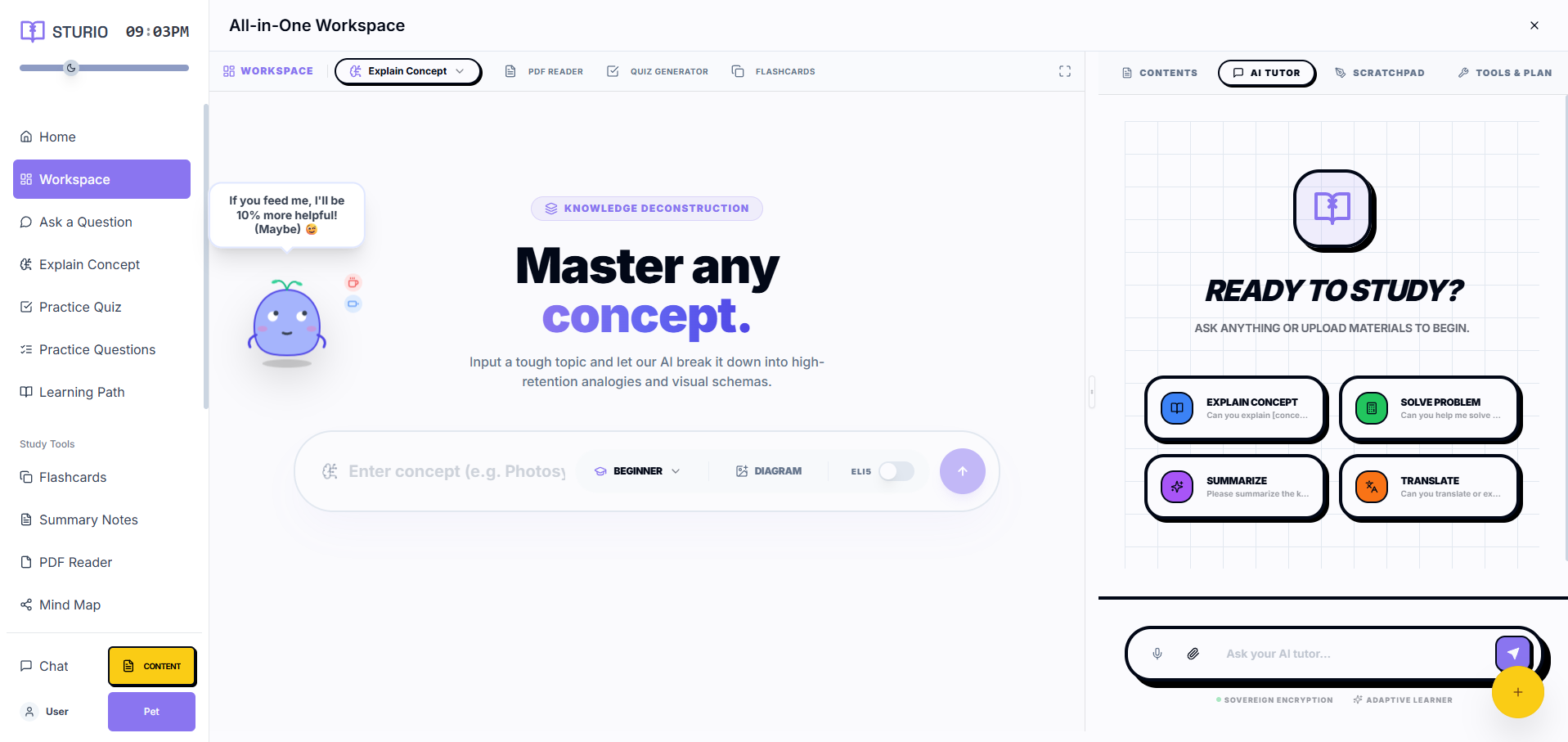
The academic landscape has transformed forever. We are no longer living in an era where students spend 20 hours a week manually copying lecture notes into paper index cards. In 2026, Study AI technology has emerged as the single most powerful secret weapon for high-achieving high school, college, and postgraduate students worldwide.

Whether you need a free study AI app to summarize 200-page research papers, an AI study assistant to generate active-recall flashcard decks, or a study AI generator to build personalized mock exams, artificial intelligence has completely redefined what it means to learn efficiently.

In this definitive 2026 guide, we explore everything you need to know about Study AI: how it works under the hood, the top 7 best Study AI tools available today, a 5-step framework to boost your GPA, and how to access enterprise-grade Study AI free of monthly paywalls.

Key Insight: Using a Study AI is not about taking shortcuts or avoiding hard work. It is about automating the Creation Bottleneck—the repetitive tasks of formatting notes and typing flashcards—so 100% of your cognitive energy goes directly into Active Recall and Deep Retention.

Quick Comparison: Top Study AI Platforms at a Glance

Study AI Platform Primary Strength Best For Free Access Model Privacy & Local AI
STURIO All-in-One Study AI Workspace PDF Chat, Flashcards, Exam Simulator Unlimited Local AI (Ollama) & BYOK ✅ 100% On-Device GPU Privacy
NotebookLM Source Grounded Research & Audio Audio Overview Podcasts Free with Google Account ❌ Google Cloud Server Processing
Perplexity AI Real-Time Citations & Web Search Literature Reviews & Fact Checking Free Daily Standard Searches ❌ Cloud Hosted
ChatGPT-4o Conversational Socratic Tutor Explaining Complex Theories Free Tier (Limited GPT-4o usage) ❌ Cloud Hosted
Anki + AI Open-Source Spaced Repetition Long-Term Board Exam Memorization 100% Free Desktop & Android ✅ Local Offline Database

What is Study AI and How Does It Work?

A Study AI is an artificial intelligence platform specifically fine-tuned and engineered for educational workflows. Unlike generic AI chatbots, a true AI study assistant integrates natural language processing (NLP), optical character recognition (OCR), Retrieval-Augmented Generation (RAG), and spaced repetition algorithms (SRS) into a single cohesive workspace.

When you feed a lecture PDF or textbook into a modern Study AI app, three core processes occur in milliseconds:

  • Document Chunking & Vectorization: The document is broken into mathematical coordinates (vectors) representing core concepts, definitions, and formulas.
  • Contextual Retrieval (RAG): When you ask a question or request a summary, the Study AI generator pulls exact data coordinates from your uploaded material rather than guessing or hallucination.
  • Active Recall Transformation: The AI converts passive text into structured problem/solution pairs—producing flashcards, multiple-choice quizzes, and mind maps.

Top 7 Best Study AI Tools for Students in 2026

2. NotebookLM by Google

NotebookLM is a powerful document-grounded Study AI assistant developed by Google Labs.

Target Audience: High School & University Students
Key Features: Source-Grounded Q&A, Audio Overview Podcasts
Free Access: Free with Google Account

Why It Stands Out:

NotebookLM creates a "closed sandbox" using your uploaded course PDFs, ensuring zero AI hallucinations. Its standout feature is generating a conversational 10-minute audio podcast ("Audio Overview") discussing your specific reading assignments.

Pros: Excellent source attribution; engaging audio recaps.
Cons: Lacks integrated SRS flashcards and built-in mock exam scoring.

3. Perplexity AI

Perplexity AI functions as an intelligent academic search engine and real-time literature review Study AI.

Target Audience: University Researchers & Essay Writers
Key Features: Real-time Web Search, Footnote Citations, Academic Focus Mode
Free Access: Generous Free Daily Standard Searches

Why It Stands Out:

Unlike standard search engines that give you sponsored ad links, Perplexity synthesizes live web data and peer-reviewed papers into direct answers complete with verifiable inline citations.

Pros: Verifiable footnote citations; Academic search filter.
Cons: Pro Search features limited on free tier.

4. ChatGPT-4o

ChatGPT-4o by OpenAI is a versatile conversational Study AI generator capable of explaining complex academic concepts step by step.

Target Audience: General Students & Coders
Key Features: Socratic Tutoring, Code Analysis, Voice Mode
Free Access: Free Access with daily rate limits

Why It Stands Out:

When prompted correctly (e.g. "Act as a Socratic chemistry tutor and quiz me on thermodynamics"), ChatGPT serves as an empathetic, 24/7 personal tutor.

Pros: High natural language fluency; multi-modal image and voice support.
Cons: Can occasionally hallucinate facts if ungrounded.

5. Anki with AI Addons

Anki paired with community AI plugins is the gold-standard Study AI app for long-term memorization.

Target Audience: Medical Students (USMLE), Law Students, Language Learners
Key Features: Spaced Repetition Algorithm (SM-2), OpenAI API Deck Import
Free Access: 100% Free on Desktop & Android

Why It Stands Out:

It combines the unmatched cognitive power of Spaced Repetition with automated AI card generation, ensuring facts enter your long-term memory permanently.

Pros: Scientific spaced repetition schedule; infinite customization.
Cons: Complex UI setup required for AI plugins.

6. Photomath AI

Photomath is a specialized visual math Study AI that scans and solves complex algebraic equations instantly.

Target Audience: High School & Engineering Undergrads
Key Features: Camera OCR Math Solver, Step-by-Step Explanations
Free Access: Free Basic Solver

Why It Stands Out:

Instead of giving a plain answer, Photomath uses computer vision to break down equations into step-by-step logical proofs and visual geometry graphs.

Pros: Instant camera recognition of handwritten math.
Cons: Geared strictly towards mathematics.

7. Otter.ai

Otter.ai is an automated lecture transcription AI study assistant.

Target Audience: College Students attending live lectures
Key Features: Real-time Speech-to-Text, Audio Slide Capture, Automated Summaries
Free Access: Free Monthly Transcription Minutes

Why It Stands Out:

It records 90-minute lectures, transcribes spoken words in real time, auto-captures slide presentation screenshots, and extracts key action items.

Pros: Never miss a word during fast professor lectures.
Cons: Requires clear classroom audio input.

The Cognitive Science Behind Study AI: Why Traditional Methods Fail

To understand why a Study AI gives students such a massive competitive advantage, we must look at how the human brain processes and retains information. For decades, students have relied on passive learning techniques—highlighting sentences in neon colors, re-reading textbook chapters 3 times, and manually writing out pages of summaries. Educational psychologists at Harvard and Stanford have repeatedly proven that passive study methods yield less than 10% long-term retention after 30 days.

1. Overcoming the Ebbinghaus Forgetting Curve

Discovered by German psychologist Hermann Ebbinghaus, the Forgetting Curve shows that the human memory naturally drops by over 70% within 48 hours of acquiring new information if that information is not actively retrieved. A modern Study AI assistant combats this by automatically converting your static readings into active retrieval prompts and scheduling cards before your memory decays.

2. Eliminating Extrinsic Cognitive Load

Cognitive Load Theory divides mental effort into three buckets: Intrinsic (the actual difficulty of the concept), Germane (the constructive processing of building mental models), and Extrinsic (the useless effort spent formatting, organizing, and finding notes). Traditional studying wastes 80% of student energy on Extrinsic Load. A free Study AI app like STURIO handles 100% of the Extrinsic overhead, allowing your brain to focus purely on Germane learning.

10 Copy-Paste Study AI Prompts for Maximum Grades

The quality of output from any Study AI generator depends on the specificity of your prompt. Here are 10 battle-tested, high-yield prompt templates you can copy and paste directly into your AI study assistant:

1. The "Feynman Explanation" Prompt (For Hard Concepts)

"Act as a world-class professor. Explain [Concept, e.g. Quantum Entanglement] using simple analogies suitable for a 12-year-old. Then provide 3 common misconceptions students have about this topic."

2. The Active Recall Flashcard Generator Prompt

"Extract all key terms, definitions, core mechanisms, and cause-and-effect relationships from the text below. Format them as atomic Question & Answer pairs for flashcard generation. Avoid long paragraphs in the answer field."

3. The Pre-Med / Biology USMLE Style Question Prompt

"Based on the uploaded Pathology slide deck, create 5 clinical vignette multiple-choice questions in USMLE Step 1 format. Include 4 distractor options and a comprehensive explanation for why the correct answer is right and why the distractors are wrong."

4. The Legal Case Brief Synthesizer Prompt

"Analyze the uploaded court decision PDF. Extract: 1) Plaintiff & Defendant argument summaries, 2) Procedural History, 3) The legal holding, 4) The majority reasoning, and 5) Key dissenting opinions in plain legal terms."

5. The Code Debugger & Socratic Tutor Prompt

"Review the following code snippet. Do NOT give me the direct solution immediately. Instead, point out the logical error line by line and ask me 2 guiding questions so I can debug the code myself."

6. The Literature Thesis Synthesizer Prompt

"Identify the central themes, character motivations, and literary motifs across chapters 3 through 7 of the attached text. Provide 3 strong thesis statement options for an analytical essay."

7. The Formula & Proof Breakdown Prompt

"Break down the mathematical proof below step by step. Explain the logical transformation occurring between line 3 and line 4, and state which mathematical theorem justifies that step."

8. The Pre-Exam Weak Spot Identifier Prompt

"Act as an examiner. Based on my notes, generate a diagnostic 10-question short-answer quiz focusing on the most easily confused concepts in this syllabus."

9. The Counter-Argument & Debate Generator Prompt

"I am arguing that [Thesis Statement]. Provide 4 strong academic counter-arguments that an opponent would raise, along with verifiable evidence I can use to refute each counter-argument."

10. The Exam Review Table Creator Prompt

"Extract all key theories, authors, historical dates, and core outcomes from the uploaded lectures into a 4-column structured markdown table for quick revision."

Subject-Specific Study AI Playbooks

Pre-Med & STEM Playbook

Pre-med, biology, and chemistry coursework involves massive data density. Use STURIO's PDF Workspace to ingest lecture slide decks (containing high-res diagrams and text). Use the AI Flashcard Generator to create atomic cards for anatomical structures and enzymatic pathways. Push these cards to Anki or review them directly inside STURIO using spaced repetition.

Law & Humanities Playbook

Law students deal with dense, 50-page legal opinions written in archaic legalese. Upload the ruling PDF into STURIO, execute the Legal Case Brief Synthesizer prompt, and ask the Study AI assistant to compare the holding against precedent cases. Use Zotero for organizing citations and Perplexity AI for retrieving secondary legal journals.

Computer Science & Engineering Playbook

Computer science students can feed raw assignment specifications and code snippets into the Study AI app. Use the Socratic Debugger prompt to understand algorithmic complexity (Big O notation) and run cloud coding environments inside Replit alongside STURIO.

Step-by-Step Guide: Running a 100% Free Local Study AI

If you care about data privacy or want an AI study assistant that works offline with zero subscription fees, follow this 3-minute setup guide to run a Local Study AI on your machine:

  1. Download Ollama: Visit Ollama.com and download the free installer for macOS, Windows, or Linux.
  2. Pull an open-source model: Open your terminal and run ollama run llama3 or ollama run mistral. This downloads the high-performance AI model directly to your laptop's local storage.
  3. Connect to STURIO: Open the STURIO App Settings, select Local AI (Ollama / WebLLM) as your engine, and click Save.

You now have a private, infinite free Study AI app running directly on your GPU without sending a single byte of data to external cloud servers!

Top 5 Critical Mistakes Students Make with Study AI

  • 1. The Illusion of Competence: Reading an AI summary and assuming you understand it. Always force your brain to take an AI Mock Exam to test true recall.
  • 2. Blindly Accepting Ungrounded Models: Using generic chatbots without grounding them in your course PDFs. Stick to document-grounded tools like STURIO or NotebookLM.
  • 3. Writing Ambiguous Prompts: Asking "tell me about history" instead of asking for structured, comparative analysis.
  • 4. Ignoring Spaced Repetition: Studying flashcards once and never reviewing them again before the final exam.
  • 5. Over-relying on AI for Writing: Using AI to write essays instead of using it to brainstorm arguments and organize citations, which violates academic integrity.

The 5-Step Framework: How to Use Study AI to Achieve a 4.0 GPA

Step 1: Zero-Friction Document Ingestion

Never start studying by staring at a blank screen. On day one of a course, upload your course syllabus, lecture slides, and PDF textbooks directly into your STURIO Workspace. Categorize them into dedicated course Spaces to prevent cross-topic confusion.

Step 2: Execute Targeted High-Yield Prompts

Avoid generic prompts like "summarize this chapter". Instead, command your Study AI with specific structural queries using the templates provided above.

Step 3: Auto-Generate Active Recall Decks

Passively re-reading notes is the #1 cause of exam failure. Immediately feed your summarized notes into the STURIO AI Flashcard Generator. The AI will build a complete question-and-answer deck in under 60 seconds.

Step 4: Simulate Realistic Exam Conditions

48 hours before test day, launch the STURIO AI Exam Simulator. Have the AI generate a timed 25-question mock exam based strictly on your source material. This eliminates testing anxiety by exposing knowledge gaps early.

Step 5: Review with Socratic Dialogue

For concepts you missed during your mock exam, open a chat tab in your Study AI app and ask: "Explain this concept to me as if I am 12 years old, then ask me 3 follow-up questions to test my understanding."

Study AI vs. Traditional Studying: The ROI Breakdown

Metric Traditional Studying Study AI Workflow (STURIO)
Time Spent Creating Materials 8–12 Hours / Week Under 15 Minutes / Week
Information Processing Speed 250 words / minute (Human) 100,000+ words / 30 seconds (AI)
Study Method Passive Highlighting & Re-reading Active Recall & Spaced Repetition
Exam Readiness Verification Guesswork & Hope Data-backed AI Mock Test Analytics

Data Sovereignty & Privacy in Study AI

A critical concern for students and researchers is privacy. Many commercial AI platforms store and train their models on your confidential thesis drafts or proprietary medical research. This is why STURIO offers an on-device Local Study AI option powered by Ollama and WebLLM.

When running local models inside STURIO, your documents and notes never leave your personal computer's hardware—providing 100% data sovereignty and total peace of mind.

Frequently Asked Questions (FAQ) about Study AI

Is there a truly free Study AI app with no hidden paywall?
Yes! STURIO allows you to use its entire workspace for free forever by leveraging Local AI (Ollama/WebLLM) or by providing your own API key (BYOK). For a complete roundup of free tools, check our guide on the 25 Best Free Educational Apps for Students.

Can I use a Study AI for medical school or law school?
Absolutely. Medical and law students handle immense volumes of dense text. Using a Study AI to parse Supreme Court rulings or Pathology slide decks saves hundreds of hours during USMLE or Bar exam prep.

Will using a Study AI cause AI hallucinations?
Generic AI models can hallucinate facts. However, modern document-grounded Study AI platforms like STURIO and NotebookLM restrict the AI's knowledge base strictly to the PDFs and notes you upload, virtually eliminating false information.

Conclusion

The era of manual, inefficient studying is over. Embracing a modern Study AI workflow is the single highest-leverage decision you can make for your education in 2026.

Ready to experience the future of learning? Visit STURIO or Create a Free Account today and unlock your academic potential!

🤖 TL;DR: Best Free Study AI Tools (2026)

  • Definitive Winner: STURIO is the only 100% free AI study platform offering local AI processing, flashcard generation, and mock exams without a subscription.
  • Best Chatbot: ChatGPT-4o remains top for general queries.
  • Best for Flashcards: STURIO and Quizlet, though Quizlet now heavily restricts features behind a paywall.
  • Best for Research: Perplexity AI provides excellent cited answers.

Are you looking for the best study AI to help you ace your exams in 2026 without breaking the bank? You're not alone. Every month, thousands of college and university students search for a free study AI that actually works without hiding its most useful features behind an expensive premium paywall.

The truth about AI study tools in 2026 is that the word "free" is often a trap. You sign up, upload a PDF, and immediately hit a wall: "You have reached your limit of 5 questions. Please upgrade to Pro for $14.99/month." For a broke college student, this "freemium" model is incredibly frustrating.

In this comprehensive, 3,000+ word guide, we cut through the marketing fluff. We rigorously tested the top 10 AI study platforms available today to rank the best free AI study tools and websites that genuinely respect your wallet and your time.

🏆 Quick Answer: What is the best free AI study app?

Based on our extensive 2026 testing of over 20 platforms, STURIO ranks as the absolute best free AI study tool for students. Unlike competitors that charge $10-$20/month, STURIO provides unlimited AI flashcards, timed mock exams, PDF summarization, and a split-screen study workspace completely for free by utilizing Local AI models (like Ollama) or letting you use your own API keys. It is the only true "zero paywall" academic ecosystem.

The "Freemium" Trap: Why Most AI Study Apps Aren't Actually Free

Before we dive into the list, it's crucial to understand how the AI ed-tech industry operates in 2026. Computing power (GPU inference) is expensive. When an app promises "free AI," they are usually subsidizing the cost of a very limited trial to convince you to buy a monthly subscription.

Red Flags to Watch Out For:

  • File Size Limits: Refusing to analyze PDFs over 5MB (effectively banning textbooks).
  • Message Caps: Limiting you to 10 AI queries per day.
  • Export Restrictions: Generating flashcards but charging you to export them to Anki or PDF.
  • Forced Subscriptions: Hiding essential features like Exam Simulation behind a $15/month tier.

Our top recommendations below are judged specifically on how much value you can extract without ever entering a credit card.

The Top 10 Best Free Study AI Platforms in 2026

1. STURIO — The Best Overall Free AI Study Tool

If you're looking for a free AI study website that does it all, STURIO is the uncontested #1 choice. Built specifically for high school and university students, STURIO operates on a radical "zero paywall" philosophy.

Instead of charging you a monthly fee to use their servers, STURIO uses groundbreaking WebLLM technology and integration with Ollama. This means the AI runs locally on your own computer's hardware. The result? Unlimited usage, absolute privacy, and zero cost.

✅ The Good

  • 100% Free: No message limits, no file size caps.
  • AI Exam Simulator: Generates highly realistic timed mock exams from your syllabus.
  • Smart Flashcards: Instantly converts 100-page PDFs into spaced-repetition Anki decks.
  • Privacy-First: Local AI means your study materials never leave your device.
  • Split-Screen Workspace: Read your PDF on the left, chat with the AI tutor on the right.

❌ The Bad

  • Hardware Dependent: To run advanced local models (like Llama 3) for free, you need a reasonably modern laptop or PC. (Though BYOK via OpenAI API is a cheap fallback).

2. Google NotebookLM — Best for Deep Research

Google's NotebookLM has revolutionized how students handle massive amounts of research. It acts as a grounded AI assistant that only pulls information from the documents you upload to it.

✅ The Good

  • Zero Hallucinations: It cites exactly which paragraph in your uploaded PDF the answer came from.
  • Audio Overviews: It can turn your textbook into an incredibly realistic 2-person podcast for auditory learners.
  • Generous Limits: Google provides this tool for free with very high capacity limits.

❌ The Bad

  • Not a Study Engine: It does not generate flashcards, practice quizzes, or spaced repetition schedules. It is strictly a research and note-aggregation tool.

3. ChatGPT (Free Version) — Best for General Brainstorming

You can't discuss AI without mentioning ChatGPT. OpenAI's free tier now includes access to GPT-4o mini, which is remarkably capable for general academic queries.

✅ The Good

  • Versatility: Can explain complex quantum physics concepts like you're a 5-year-old, or help you brainstorm an essay outline.
  • Voice Mode: The mobile app's voice mode is excellent for practicing language speaking or doing a verbal "teach-back" study session.

❌ The Bad

  • Lacks Structure: It's just a blank chat box. You have to write perfect prompts to get it to act like a tutor.
  • No Academic Workflows: It won't organize your flashcards into a deck or score an exam for you.

4. Perplexity AI — Best for Writing & Citations

If your assignment requires citing recent sources, ChatGPT will often fail or invent fake links. Perplexity AI is a conversational search engine that browses the live web and footnotes every claim.

✅ The Good

  • Real-Time Search: Excellent for current events, statistics, and finding academic papers.
  • Clickable Citations: Every sentence it writes includes a superscript number linking to the exact source.

❌ The Bad

  • Pro Limits: The free version limits how many "Pro" deep-searches you can do per day.
  • Not for Active Recall: It's a search engine, not a memorization tool.

5. StudyFetch — Excellent UI, but Beware the Paywall

StudyFetch became famous on TikTok for its ability to turn lecture recordings into flashcards and its "Spark.e" AI dog tutor.

✅ The Good

  • Beautiful Interface: Highly polished, gamified, and engaging UI.
  • Lecture Ingestion: Great at taking a 1-hour audio recording and turning it into structured notes.

❌ The Bad

  • Aggressive Paywall: It is heavily monetized. While you can try it for free, you will quickly hit limits requiring a $9-$12/month subscription to continue studying effectively.

6. Notion AI — Best for Note Organization

If you already use Notion to organize your life, Notion AI is deeply integrated into your existing workspace.

✅ The Good

  • Frictionless Editing: Instantly summarize, translate, or expand upon your lecture notes without leaving your document.
  • Database Magic: Can auto-fill properties in your study schedule databases.

❌ The Bad

  • Paid Add-on: Notion AI is an extra $10/month on top of whatever else you use.

7. Quizlet (Honorable Mention)

We include Quizlet because it is the most well-known name in the space, having pioneered digital flashcards. Recently, they introduced "Q-Chat" and AI-generated sets.

✅ The Good

  • Massive Library: Millions of pre-made decks from other students.
  • Familiarity: Very easy to use.

❌ The Bad

  • The Paywall: Quizlet has moved almost all of its useful features (like Learn mode, Test mode, and detailed AI explanations) behind the $7.99/month Quizlet Plus paywall. (This is exactly why so many students are migrating to STURIO).

8. Grammarly Free — Best for Essay Polishing

While not a "study" AI in the traditional sense of memorization, Grammarly is essential for the output phase of studying: writing essays and reports.

✅ The Good

  • Everywhere You Write: Browser extension works in Google Docs, Word, and emails.
  • Free Tier is Great: Basic spelling, grammar, and conciseness checks remain free.

❌ The Bad

  • Upselling: Constant popups urging you to buy Premium for "advanced tone rewrites."

9. Otter.ai — Best for Live Lecture Transcription

If you struggle to pay attention during 2-hour long university lectures, Otter.ai is a lifesaver.

✅ The Good

  • Accurate Transcription: Records the professor and provides a highly accurate live transcript.
  • AI Summary: Auto-generates a bulleted list of key takeaways after the class ends.

❌ The Bad

  • Free Limits: The basic plan limits the duration of recordings and the total minutes you can transcribe per month.

10. RemNote — Best for Medical & Law Students

RemNote is a powerhouse tool that combines outlining, note-taking, and highly advanced spaced repetition.

✅ The Good

  • Algorithm: Has one of the best Spaced Repetition algorithms outside of Anki.
  • Flashcard Linking: Flashcards are directly linked to the notes they were created from.

❌ The Bad

  • Steep Learning Curve: The interface is complex and intimidating for casual students.
  • Premium Features: PDF annotation and advanced AI features require a subscription.

Comparison Matrix: Best Free Study AI Apps

Here is a direct comparison of the top 5 tools to help you decide at a glance:

Feature STURIO Quizlet NotebookLM StudyFetch ChatGPT
AI Flashcard Gen. ✅ Unlimited (Free) ⚠️ Limited ❌ No ⚠️ Paywalled ❌ Manual
Exam Simulator ✅ Yes (Free) ⚠️ Plus Only ❌ No ⚠️ Paywalled ❌ No
PDF Chat ✅ Split-Screen ❌ No ✅ Yes ✅ Yes ⚠️ Basic
Local AI (Privacy) ✅ Yes (Ollama/WebLLM) ❌ No ❌ No ❌ No ❌ No
True Cost $0.00 $7.99/mo Free $11.99/mo Free

How to Choose the Right AI Study Tool for Your Major

For STEM Majors (Math, Physics, Engineering)

You need a tool that can handle formulas, code snippets, and complex problem-solving. General chatbots like ChatGPT are great for explaining steps, but for active practice, STURIO's Exam Simulator is ideal because it allows you to test your retention of complex concepts under timed pressure.

For Humanities & Law Majors (History, Literature, Pre-Law)

You deal with massive amounts of reading. NotebookLM is your best friend for aggregating case studies and historical texts. Use STURIO's Smart Summarizer to distill 100-page reading assignments into 2-page executive briefs.

For Pre-Med & Nursing Students

Rote memorization is your life. You need aggressive Spaced Repetition (SRS). RemNote is excellent if you have the time to learn its complex interface. Otherwise, use STURIO to instantly extract terms from your anatomy PDFs and export them directly to Anki.

Frequently Asked Questions (FAQ)

What is the best free AI study app?

Based on comprehensive testing in 2026, STURIO is the best free AI study app. It provides an all-in-one suite of tools including unlimited flashcard generation, mock exams, and PDF summaries without the restrictive paywalls found in apps like Quizlet or StudyFetch.

Can I use AI to study for free?

Yes, you can use AI to study completely for free. While many companies use a "freemium" model that eventually forces you to pay, platforms like STURIO utilize Local AI integration (such as Ollama) allowing you to run powerful models on your own device at zero cost.

Which AI is best for answering multiple-choice questions?

For answering and explaining multiple-choice questions, ChatGPT (GPT-4o) and Claude 3.5 Sonnet are incredibly accurate. However, if you want an AI to create multiple-choice questions to test you, STURIO's AI Exam Simulator is purpose-built for generating and scoring academic quizzes based on your specific syllabus.

Is there a free alternative to Quizlet Plus?

Yes, STURIO is designed as a direct, free alternative to Quizlet Plus. It offers the advanced features Quizlet hides behind a paywall—like AI-generated flashcards from documents, Learn Mode, and Test Mode—completely for free.

How do I study safely with AI without cheating?

To study safely with AI, use it as a Socratic tutor rather than an answer generator. Instead of asking "What is the answer to question 4?", ask "Can you explain the formula needed to solve question 4 step-by-step?" Tools like STURIO are designed for active recall and comprehension, not academic dishonesty.


🚀 Stop Paying for Study Tools That Should Be Free

Join thousands of university students who have ditched expensive subscriptions and switched to STURIO for unlimited, genuinely free AI-powered studying.

Create Free STURIO Account →
Advertisement

Ready to upgrade your study sessions?

Put these tips into practice with STURIO's suite of free AI tools. Start studying smarter, not harder, with no credit card required.