AI Tools Comparison
Sturio vs Studley AI: The Best Free Studley AI Alternative in 2026 (Honest Comparison)

Studley AI burst onto the EdTech scene as one of the most talked-about AI study platforms of the past few years. And for good reason — its flashcard generation, quiz creation, and AI note-taking features genuinely impressed students who got access to them. The problem? Getting meaningful access to those features requires a monthly subscription that can cost $13–$20 per month — a price point that puts it out of reach for the vast majority of students globally, particularly in South Asia, Southeast Asia, and other developing regions where that cost represents a significant financial burden. That's exactly why Sturio was built — to give every student access to every AI study feature Studley offers, and more, at zero cost, with full privacy, and without needing a constant internet connection.
This is an honest, detailed, feature-by-feature comparison of Sturio and Studley AI. We're not here to trash Studley — it's a genuinely good product for students who can afford it. We're here to show you why Sturio is the better choice for the majority of students worldwide, and why thousands of Studley users are making the switch in 2026.
Who Is This Comparison For?
This guide is written for students who:
- Are currently using Studley AI and frustrated by its limits, cost, or privacy concerns.
- Tried Studley's free tier and hit the wall of locked features too quickly.
- Are researching AI study tools and want an honest comparison before committing to a subscription.
- Are based in Bangladesh, India, or other developing countries where $15–$20/month is genuinely unaffordable.
- Care about data privacy and don't want their academic documents uploaded to third-party servers.
- Need an AI study tool that works reliably offline without depending on cloud servers.
If any of those describe you — this comparison was written for you.
The Core Problem with Studley AI
Studley AI is not a bad product. Let's be clear about that. The features work, the interface is clean, and the AI quality is solid. The problem is structural — it's built on a business model that fundamentally limits access for the students who need it most.
Problem 1: The Paywall Is Immediate and Aggressive
Studley AI's free tier is designed as a product demonstration, not a genuinely useful tool. You get a handful of flashcard generations, a few quiz questions, and limited note extraction before hitting the paywall. For a student trying to process a semester's worth of study material, the free tier runs out within the first session. The message is clear: pay, or go without.
This creates a deeply inequitable situation. A student at a well-funded Western university with disposable income swipes a credit card and gets unlimited access. A student in Dhaka, Karachi, or Jakarta — often studying just as hard, often under significantly more financial pressure — gets locked out after their first few interactions. Same AI, same features, completely different access based purely on financial means.
Problem 2: Cloud Dependency Creates Privacy Risk
Every document you upload to Studley AI goes to their cloud servers. Every PDF, every set of notes, every research paper is transmitted over the internet and processed on external infrastructure. Studley's terms of service — like most SaaS platforms — include provisions that give them broad rights over uploaded content.
For students working on original research, sensitive academic projects, or proprietary content, this is a genuine concern. Your unpublished thesis chapter, your preliminary research data, your confidential case study materials — all of it passes through Studley's servers when you use their AI features.
Problem 3: Internet Dependency Makes It Unreliable
Studley AI requires a stable internet connection for every single feature. No internet? No flashcards. No quiz generation. No AI notes. For students in areas with unreliable connectivity — which covers a significant portion of the global student population — this makes Studley fundamentally unreliable as a core study tool. A tool you can't depend on in your most intensive study moments isn't a tool you can build your academic workflow around.
Problem 4: Usage Limits Even on Paid Plans
Even students who pay for Studley AI subscriptions report hitting usage limits during intensive study sessions. Rate throttling, daily caps on AI queries, and limits on the number of PDFs that can be processed in a given period mean that paying customers still don't get truly unlimited access. When you're deep in a 12-hour exam preparation session, the last thing you need is your AI study tool telling you to come back tomorrow.
Problem 5: No Local LLM Support
Studley AI is exclusively cloud-based. There is no option to run it locally, connect your own LLM, or process documents on your own hardware. This means you are permanently dependent on Studley's servers, Studley's pricing, and Studley's data policies. There is no alternative path.
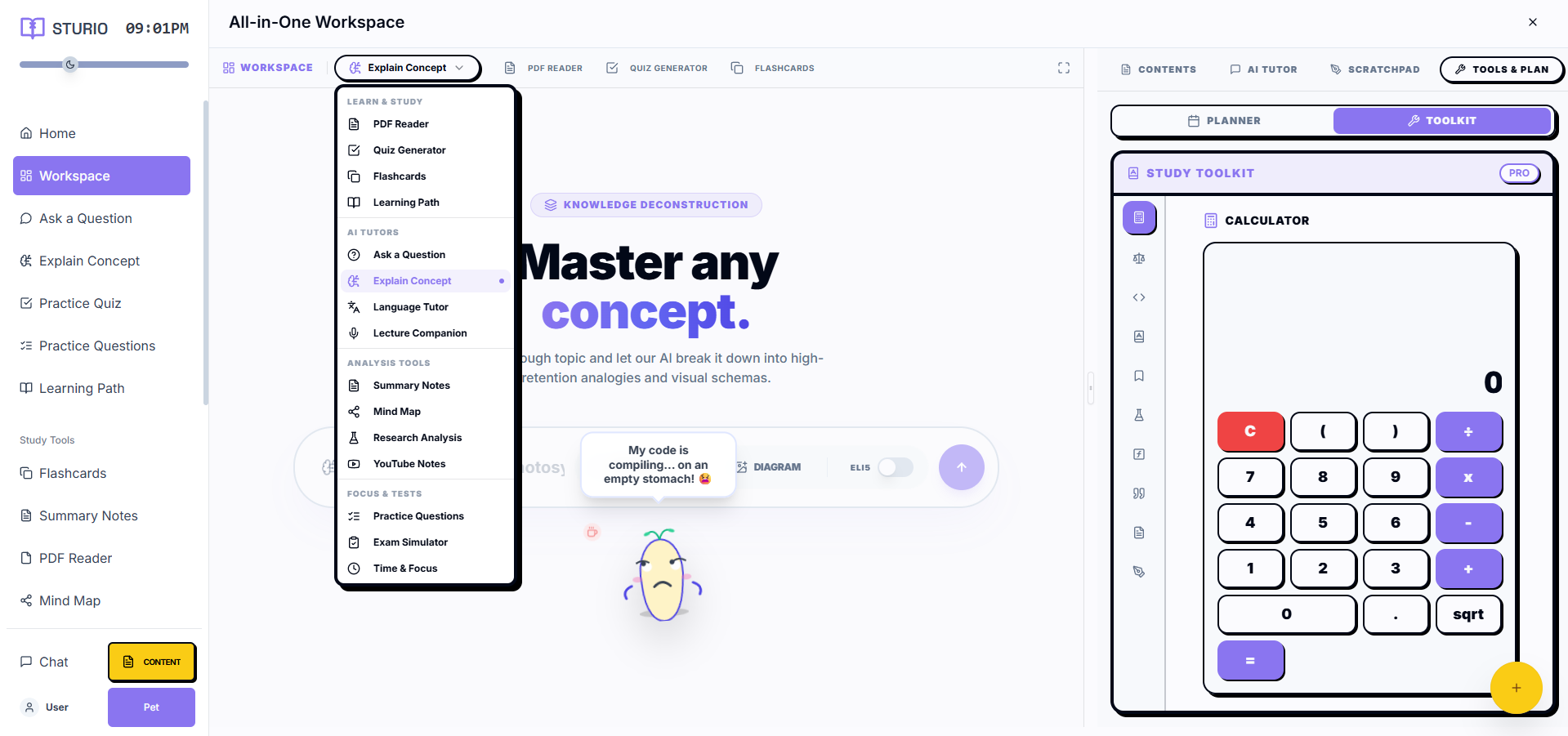
Introducing Sturio: Everything Studley Does — and More — for Free
Sturio was designed specifically to address every structural weakness in Studley AI's approach. It's not a watered-down free alternative — it's a more capable, more private, more accessible platform that simply doesn't charge for access.
Here's how Sturio solves each of Studley's core problems:
Solution 1: Genuinely Free — No Paywall, No Limits, Ever
Sturio is 100% free. Not free-with-limits. Not a free trial. Not a freemium model with a paid tier that unlocks the "real" features. Every feature — AI flashcard generation, quiz creation, note taking, research analysis, AI tutoring — is available to every user without payment, without a credit card, and without a subscription. This is not a temporary promotional offer. It is Sturio's permanent, foundational commitment to accessible AI education.
Solution 2: Local LLM Means Complete Privacy
Sturio runs on local large language models — using Ollama, LM Studio, GPT4All, or any compatible local LLM engine. When you process a document through Sturio with local LLM mode enabled, that document never leaves your device. No transmission. No cloud storage. No third-party data access. Your academic work is yours — completely and permanently.
Solution 3: Full Offline Capability
Once Sturio is set up with a local LLM, it works entirely without internet. Generate flashcards, create quizzes, take AI notes — all offline. On a train. In a library with no Wi-Fi. During a power outage that takes your router down. Sturio is always available because it runs on your hardware, not on a remote server.
Solution 4: Truly Unlimited Usage
No daily caps. No hourly rate limits. No monthly query limits. Process 50 PDFs in one sitting. Generate 1,000 flashcards in an afternoon. Run your AI tutor for six consecutive hours during an exam preparation marathon. Sturio imposes zero artificial restrictions on usage — because there's no server cost to manage, there's no business reason to throttle you.
Solution 5: Your Own LLM, Your Own Control
Sturio's local LLM support means you choose your AI model. Use the most capable model your hardware can run. Upgrade your model as better ones become available without waiting for Sturio to update its backend. If a model performs poorly on your specific content type, switch to a different one. You're in complete control of your AI infrastructure — a level of customization no cloud-based tool can offer.
Feature-by-Feature Comparison: Sturio vs Studley AI
Let's go through every major feature category and compare both platforms honestly and in detail:
| Feature Category | Sturio | Studley AI |
|---|---|---|
| Pricing | 100% Free Forever | $13–$20/month |
| Free Tier | Full access — no restrictions | Heavily limited — paywall hits immediately |
| AI Flashcard Generator | ✅ Unlimited | ✅ Limited on free / Paid required |
| AI Quiz Generator | ✅ Unlimited — 4 question types | ✅ Limited — 3 types, paid required |
| AI Notes from PDF | ✅ Unlimited | ✅ Limited on free tier |
| YouTube to Study Set | ✅ Unlimited | ✅ Paid required |
| AI Tutor / Chat | ✅ Unlimited local | ✅ Rate limited |
| Research Analysis | ✅ Full — multi-paper synthesis | ⚠️ Basic — paid tier only |
| Local LLM Support | ✅ Yes — Ollama, LM Studio, GPT4All | ❌ No — cloud only |
| Offline Mode | ✅ Full offline capability | ❌ Internet required always |
| Data Privacy | ✅ 100% local — zero upload | ❌ Cloud storage — third-party data access |
| Usage Limits | None — truly unlimited | Rate limited even on paid plans |
| No Signup Required | ✅ Start instantly | ❌ Account required |
| Bangla Language Support | ✅ Full support | ❌ English-focused |
| Multi-Document Synthesis | ✅ Yes — unlimited sources | ⚠️ Limited on paid tier |
| Cornell Note Format | ✅ Yes | ❌ No |
| Spaced Repetition | ✅ Built-in | ✅ Yes |
| Performance Analytics | ✅ Yes | ✅ Yes |
| Export Options | ✅ PDF, CSV, Anki format | ✅ Limited formats |
| Custom LLM Model Selection | ✅ Full control | ❌ Fixed backend model |
Pricing Comparison: The Real Cost of Studley AI in 2026
Let's talk about money — specifically, what Studley AI actually costs over time compared to Sturio.
| Time Period | Sturio Cost | Studley AI Cost (Basic) | Studley AI Cost (Pro) |
|---|---|---|---|
| 1 Month | $0 | $13 | $20 |
| 1 Semester (6 months) | $0 | $78 | $120 |
| 1 Academic Year | $0 | $156 | $240 |
| 4-Year Degree | $0 | $624 | $960 |
| In Bangladeshi Taka (1 Year) | ৳0 | ~৳17,000 | ~৳26,000 |
Over a four-year university degree, a student using Studley AI's basic plan spends over $600 on a study tool subscription. That same student using Sturio spends exactly $0 — while accessing equivalent or superior features. For students in Bangladesh, that ৳17,000–৳26,000 annual cost represents months of living expenses. It is simply not a realistic option for the majority of students globally.
Real Student Experiences: Why Students Are Switching from Studley to Sturio
Who Should Still Use Studley AI?
We promised an honest comparison, so let's be fair about where Studley AI still has an edge:
Students Who Prefer a Polished, Maintained Cloud Interface
Studley AI invests heavily in UX design and regularly updates its cloud interface. If you value a perfectly polished, professionally maintained user experience above all else and don't mind the cost, Studley delivers on that front.
Students With No Interest in Local LLM Setup
Sturio's full offline and privacy features require a one-time local LLM setup using Ollama or similar tools. If you have absolutely no interest in a brief technical setup process and prefer a completely plug-and-play cloud experience, Studley's simplicity has value — assuming you can afford and accept the subscription cost.
Students Already Embedded in Studley's Ecosystem
If you've built extensive flashcard decks and study sets within Studley's ecosystem over months or years, migration has a real cost in time and effort. Sturio supports import from most standard formats, but any migration involves some friction.
For every other student — which represents the overwhelming majority of the global student population — Sturio is the better choice in every measurable dimension.
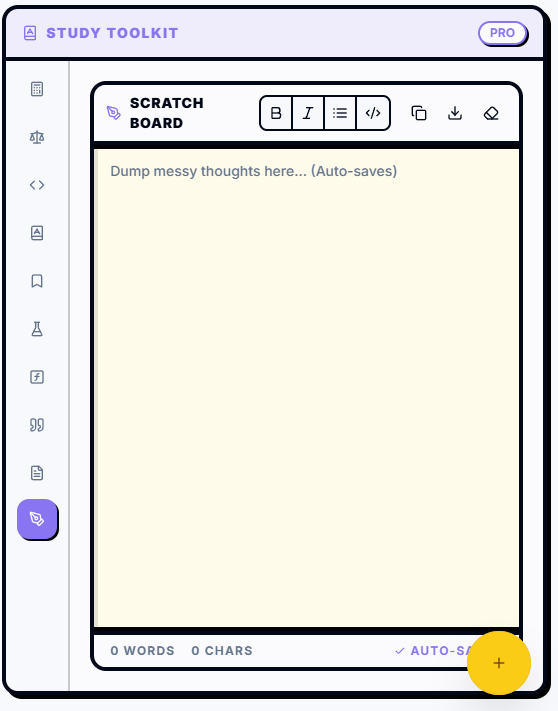
How to Switch from Studley AI to Sturio in 10 Minutes
Making the switch from Studley to Sturio is simpler than you might think. Here's exactly how to do it:
Step 1: Export Your Studley Data
In Studley AI, go to your account settings and export your existing flashcard decks and study sets. Studley typically exports in CSV format, which Sturio accepts directly.
Step 2: Create Your Sturio Account (Optional)
Head to sturio.io. You can start using Sturio immediately without creating an account — but creating a free account allows you to save your study sets across devices.
Step 3: Import Your Existing Flashcard Decks
Use Sturio's import feature to upload your exported CSV files from Studley. Your existing flashcard decks will be recreated in Sturio's interface within minutes.
Step 4: (Optional) Set Up Local LLM for Full Privacy and Offline Mode
For maximum privacy and offline capability, install Ollama on your device (available for Windows, Mac, and Linux — completely free), download your preferred language model, and connect it to Sturio in the settings panel. The entire setup takes about 10 minutes and is guided step-by-step within Sturio's onboarding flow.
Step 5: Cancel Your Studley Subscription
Once your data is imported and you've explored Sturio's features, cancel your Studley subscription. You've just freed up $13–$20 per month — and gained better features in the process.
Sturio's Unique Advantages Over Every Competitor
Beyond the Studley comparison, Sturio has unique advantages that no other AI study tool on the market currently offers:
Local LLM Model Selection
No other major AI study tool lets you choose your own AI model. Sturio's compatibility with Ollama and similar platforms means you can run the most capable open-source model available for your hardware — and upgrade freely as better models are released, without waiting for a platform update.
Bangla Language Native Support
Sturio is the only major AI study platform with native Bangla language support — capable of processing Bangla-language PDFs, generating Bangla notes and flashcards, and responding to queries in Bangla. For the tens of millions of Bangla-speaking students in Bangladesh and West Bengal, this is a capability no international competitor comes close to offering.
Zero Data Footprint
Most privacy-focused tools claim to protect your data. Sturio's local LLM architecture makes data protection a technical reality rather than a policy promise. When your documents are processed locally, there is physically no mechanism by which they can be transmitted, stored, or accessed externally. This is not a privacy policy — it is an architectural fact.
True Unlimited Access
The word "unlimited" is used loosely in the EdTech industry. Sturio's unlimited access is genuinely unlimited — because local processing eliminates the server cost that forces other platforms to impose restrictions. There is no hidden daily limit, no soft cap that kicks in after heavy usage, no throttling during peak hours. Your hardware is your only limitation.
Frequently Asked Questions: Sturio vs Studley AI
Is Sturio really as good as Studley AI?
For the vast majority of use cases, yes — and in several important dimensions, Sturio is significantly better. The only area where Studley has an edge is in the polish of its cloud interface and the zero-setup experience it offers. For features, privacy, offline capability, language support, and cost, Sturio is superior.
Can I use Sturio without setting up a local LLM?
Yes. Sturio works in standard mode without a local LLM setup, using a lightweight cloud connection for AI processing. The local LLM setup is optional — but strongly recommended for students who want full privacy and offline capability.
Does Sturio have the same quality of AI as Studley?
Sturio's AI output quality depends on the local LLM model you choose. With a capable model like Llama 3, Mistral, or Gemma running locally, Sturio's AI quality matches or exceeds Studley's cloud-based output — with the added benefit of complete privacy and no usage limits.
Is my data safe with Sturio?
With local LLM mode enabled, your data is completely safe — it never leaves your device. In standard mode, Sturio follows strict data handling policies and does not sell or share your data with third parties. For maximum privacy, local LLM mode is always recommended.
How long does it take to switch from Studley to Sturio?
Most students complete the switch — including exporting Studley data, importing to Sturio, and setting up local LLM — in under 30 minutes. The process is straightforward and guided step-by-step within Sturio's onboarding flow.
Will Sturio always be free?
Yes. Sturio's free access model is not a promotional period or a temporary strategy — it is a foundational commitment to accessible AI education. The platform is built and funded in a way that does not require charging students for core features. Sturio will remain free.
The Verdict: Sturio Is the Best Free Studley AI Alternative in 2026
Studley AI is a good product for students who can afford it, don't mind cloud dependency, and aren't concerned about their documents being processed on external servers. But that description covers a small minority of the global student population.
For everyone else — for the hundreds of millions of students worldwide who are studying hard under real financial constraints, in areas with unreliable internet, with research data they want to keep private, or simply unwilling to hand a subscription fee to a study tool every month for years — Sturio is the clear, decisive, better choice.
- ✅ Every feature Studley offers — completely free
- ✅ Local LLM support for complete privacy and offline capability
- ✅ No usage limits — ever
- ✅ Native Bangla language support
- ✅ No signup required to start
- ✅ Your data never leaves your device
- ✅ Works anywhere — with or without internet
Ready to make the switch? Start using Sturio for free today — no signup required →
Explore Sturio's full feature set: AI Flashcard Generator · AI Quiz Maker · AI Notes from PDF · AI Research Analysis · Local AI Tutor